
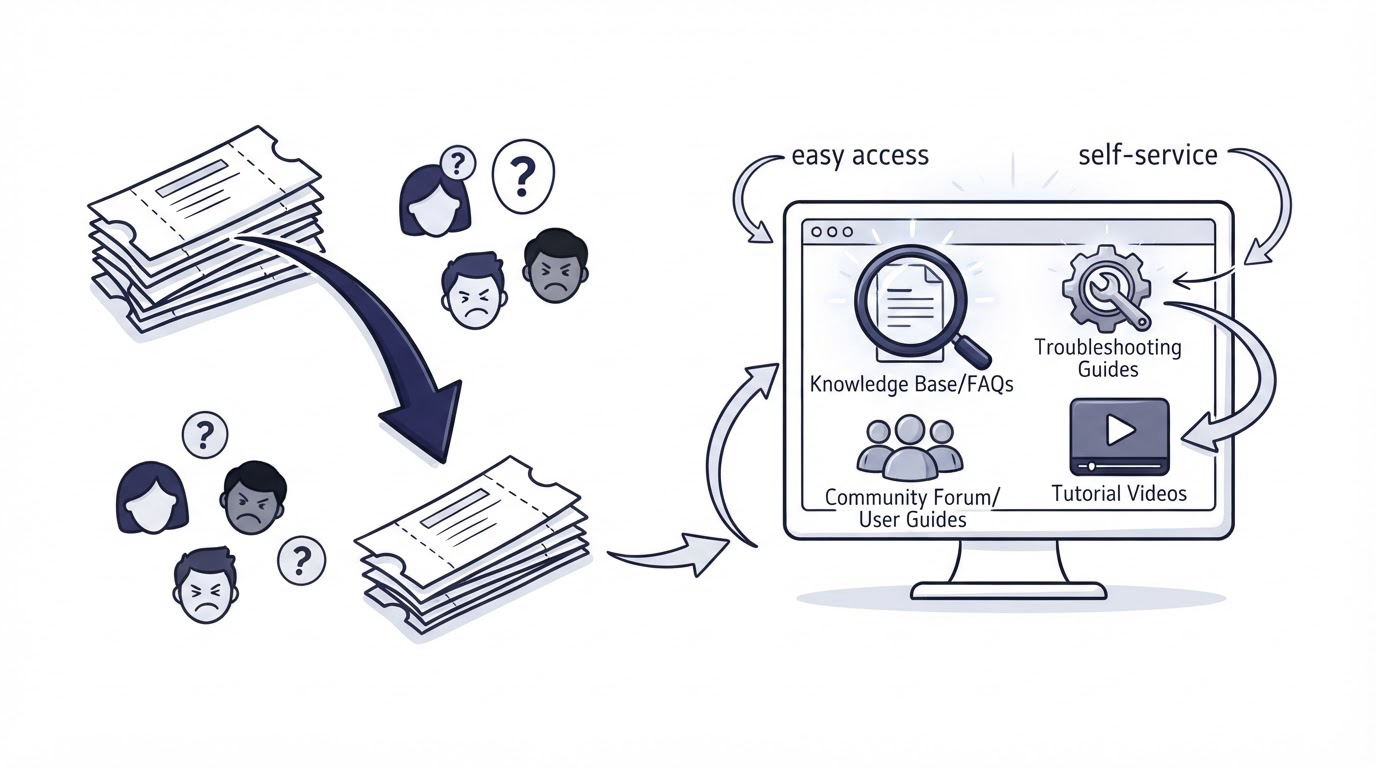
A SaaS inbox fills up quickly when customers cannot find setup instructions, hit the same product friction, or wait until a small question becomes urgent. The fastest way to reduce customer support tickets is to answer predictable questions at the moment customers need help, then use their feedback to improve the answer and the product.
Cajobo brings a knowledge base, live chat, and feedback into one support workflow, which helps small teams connect the evidence behind repeat questions instead of managing separate systems.
Quick answer: how to reduce customer support tickets
Use this workflow to prevent common questions from reaching your inbox:
- Export the last 90 days of conversations and group them by customer goal, page, and product area.
- Build searchable knowledge base articles for the highest-volume, repeatable questions.
- Place proactive live chat messages on pages where customers commonly get stuck.
- Route complex, account-specific, and urgent issues to a person through a shared inbox.
- Ask for one-tap feedback after an article view or resolved conversation.
- Review negative feedback and repeated chat themes every week, then improve the article, product flow, or both.
Start with the tickets customers keep sending
Count themes instead of counting only ticket totals. A lower ticket total can hide a growing problem when one category consumes much of the team's time.
Export conversations from email and chat. Add three fields to each row: the customer goal, the page or feature involved, and the outcome. A useful goal label describes what the customer wanted to finish, such as “invite a teammate,” “export a report,” or “change billing details.” Labels such as “question” and “bug” provide too little direction.
Use a simple triage model:
| Conversation pattern | Best first response | Where it belongs | Owner |
|---|---|---|---|
| Repeatable setup question | Step-by-step article | Knowledge base | Support or product education |
| Confusion on a specific page | Contextual prompt and article link | Live chat | Support |
| Account-specific request | Personal investigation | Shared inbox | Support or success |
| Recurring product limitation | Feedback theme and product review | Feedback board | Product |
| Outage or security concern | Immediate human response | Shared inbox and status process | Support and engineering |
Here is a concrete example. Imagine LedgerLoop, a fictional 12-person SaaS company that helps finance teams collect expense approvals. Its support team sees repeated messages from /settings/team: “Why did my colleague not receive an invite?” The initial response is a saved chat reply. That response helps one person at a time and leaves the underlying confusion in place.
The team should inspect the full path instead. Customers often miss an email domain restriction, assume an invitation is immediate, or use an outdated address. Those are three separate support needs. Split them before drafting any article.
For a broader framework for selecting tools and workflows during this stage, see Best Customer Support Tools for Startups.
Build a knowledge base that resolves the question fully
A knowledge base reduces tickets when articles match the language customers use and let them complete a task without a support reply. Publish articles around jobs, error messages, and important settings pages.
For LedgerLoop, create an article called “Invite a teammate and fix delivery issues.” It should cover the invitation steps, expected delivery timing, domain restrictions, where to check invite status, and the next action when an email fails. Add screenshots of the relevant controls. Put the direct URL, such as /help/invite-team, in the chat response and on the settings screen.
Keep the article narrow enough for scanning. A giant “Getting Started” page may attract traffic, yet readers still need a precise answer once they are inside the product.
Structure articles around customer decisions
Each support article needs a clear destination. Start with the task, list the steps in order, explain the common branch points, and give an escalation path for cases that require account access. Include exact UI labels where possible. Product terminology changes quickly, so assign an owner and a review date to every article.
Searchability also depends on words customers recognize. If users write “team invite” and the product calls it “member provisioning,” include both terms naturally in the title or early copy. Monitor the search terms people use in your help center. Searches with no useful result identify the next article to write.
Google's helpful content guidance supports the same principle for public-facing documentation: write for a specific audience and provide original, useful information. Clear headings, descriptive links, and readable screenshots also support accessibility practices described in the W3C Web Content Accessibility Guidelines.
Use this guide to plan the initial article set: How to Create a Knowledge Base. SaaS teams can also use Cajobo's Knowledge Base to publish and organize help content alongside the conversations that reveal what customers need.
Use proactive live chat to prevent abandonment and tickets
Live chat works best at moments of visible uncertainty. A generic “How can we help?” bubble appears everywhere and gives little direction. Page-specific prompts can guide a customer to an article or invite a question before they leave the workflow.
For the LedgerLoop example, configure a prompt on /settings/team after a customer has spent 20 seconds on the page: “Inviting your team? See delivery and domain-restriction steps.” Link to the invite article and offer chat for account-specific delivery problems.
The timing matters. Show the prompt too early and it interrupts a customer who already knows the task. Show it after a failed action and the customer may already have opened a ticket. Begin with one or two high-friction pages, review the conversations, and adjust the trigger based on actual behavior.
Keep chat focused on questions that need a person, such as account data, an unusual error, or a decision that affects a live workflow. Send routine questions toward the relevant article first. The handoff should preserve context so customers avoid repeating the issue.
Read Live Chat Software for SaaS Teams for practical choices around coverage, routing, and response expectations. A live chat tool connected to the support workflow makes it easier to link answers, see prior conversation context, and assign the exceptions to the right teammate.
Turn feedback into the next ticket-reduction task
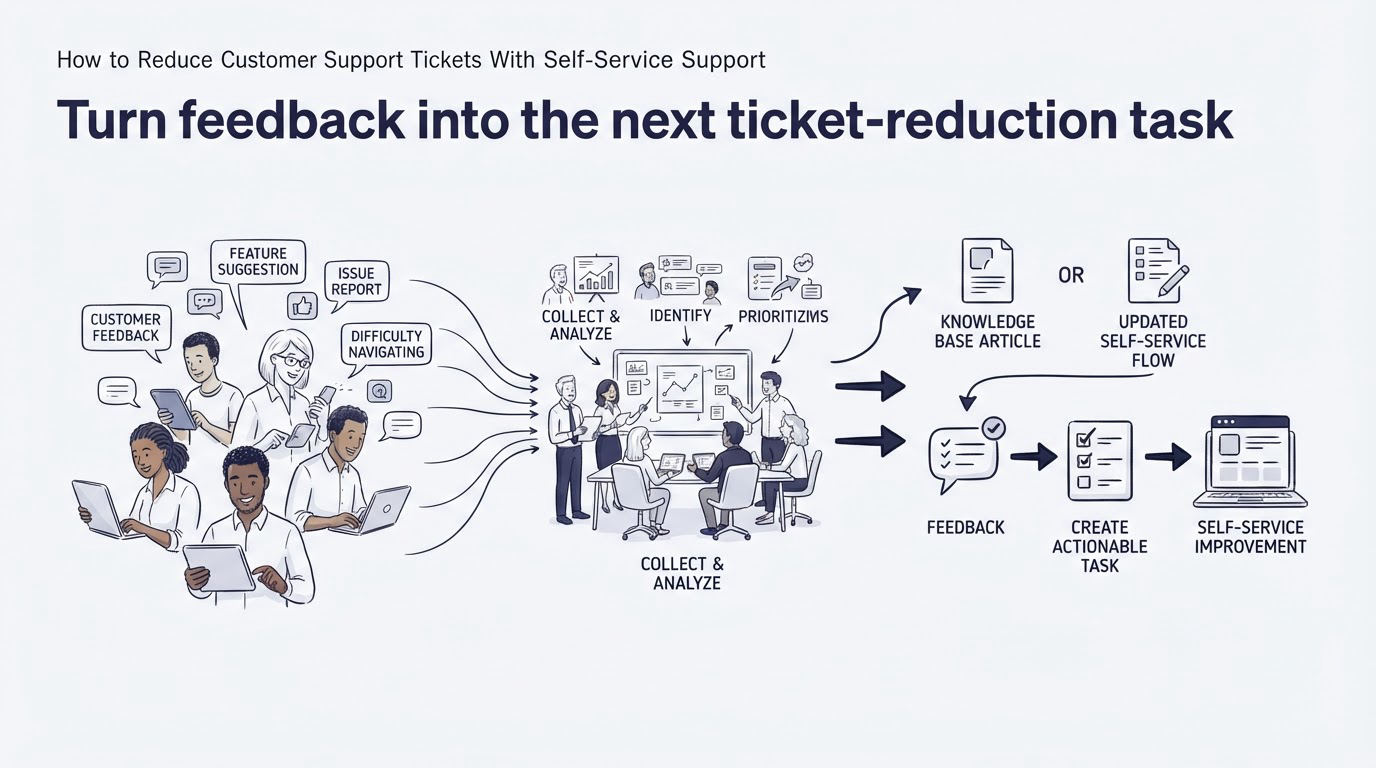
Feedback closes the loop. An article view or a resolved chat can show whether the customer actually got what they needed. Ask one short question: “Did this solve your problem?” Offer a positive and negative response, then leave space for a comment after a negative rating.
LedgerLoop may find that its invite article receives negative responses mentioning “SSO.” That signal points to a missing condition: customers on a certain plan must manage users through their identity provider. The fix includes a new section in the article, a clearer message on /settings/team, and a proactive chat prompt for affected accounts.
Treat feedback as evidence for three different actions:
- Improve the article when the answer exists but customers cannot find or follow it.
- Improve the interface when the same confusion happens inside a product flow.
- Create a product request when customers repeatedly need a capability the product lacks.
Review feedback alongside chat transcripts weekly. Tag the root cause, choose one owner, and record the change made. Product teams can use a public roadmap when the pattern calls for a broader product decision. This guide explains the process: How to Use a Public Product Roadmap to Turn Customer Feedback Into Better Product Decisions.
How Cajobo connects knowledge base, live chat, and feedback
Separate support tools create handoff work. The team has to move from a chat report to a help center editor, then into a feedback tool, while context gets lost between each step.
Inside Cajobo, begin by publishing the recurring answer in the knowledge base. For LedgerLoop, the support owner creates the invite article and keeps its URL ready for conversations on the team settings page.
Next, use live chat to meet customers while they are in that flow. The agent can share the relevant article for a common question and continue the conversation when the case involves a domain rule or account-specific detail.
After the interaction, collect feedback on whether the answer helped. Feedback about unclear delivery rules becomes a concrete input for the next article revision or product change. The same pattern applies to feedback collected directly from a page.
That sequence gives the team a workable loop: recurring questions create documentation, live conversations expose the gaps in documentation, and feedback prioritizes what to fix first. Learn more about the combined approach in Cajobo Customer Support Platform: Live Chat, Knowledge Base, and Feedback in One Tool.
Measure whether self-service is reducing support demand
Track a small set of measures by topic and product area. Broad averages can conceal a broken flow that affects an important customer segment.
Start with ticket volume per recurring topic, knowledge base searches that lead to an article, negative article feedback, chat conversations triggered on high-friction pages, and repeat contacts on the same issue. Compare each measure before and after a change, using the same time window and customer segment.
For example, after LedgerLoop updates the invitation article and prompt, review conversations from /settings/team over the following four weeks. Read a sample of chats rather than relying solely on counts. If customers now ask about SSO, the original delivery issue may be resolved while a new documentation gap has become visible.
Use Google Search Console's Performance report documentation if your help center is public and indexed. Search queries can reveal the language people use before they reach the product or support inbox.
Common mistakes when trying to reduce customer support tickets
Teams often publish articles without connecting them to the page or conversation where confusion happens. Customers then keep asking the same question because they never find the article at the right time.
Another frequent problem is treating every chat as a private answer. Turn a repeatable answer into a knowledge base improvement after the second or third occurrence. Keep sensitive account details in the inbox.
Finally, avoid using a feedback score as the complete diagnosis. A negative response tells you where to investigate. The comment, transcript, product page, and customer segment explain the cause.
FAQ
How quickly can a knowledge base reduce customer support tickets?
A knowledge base can help as soon as high-volume articles are published and linked from the relevant product pages and chat replies. The strongest results come from continuous revision. Review new conversations each week and update the articles that customers still struggle to use.
Should a startup use live chat or a help desk?
Most SaaS teams need both real-time help and a managed inbox, even when the same people handle each channel. Live chat suits active in-product questions. An inbox supports follow-up, assignments, email, and issues that require investigation. See Live Chat vs Help Desk for a detailed comparison.
What support questions should go into a knowledge base?
Start with questions that are frequent, predictable, and safe to answer publicly: setup steps, feature explanations, billing process details, troubleshooting, permissions, and common error messages. Keep account-specific information, security investigations, and sensitive billing cases with a support agent.
How do you collect useful feedback after a support conversation?
Ask a one-tap question immediately after resolution, then request a short explanation only when the response is negative. Match the feedback to the article, chat topic, page, and customer segment so the team can locate the root cause. How to Measure Customer Satisfaction With One-Tap Feedback provides an implementation guide.
Publish the answers customers need, place help where product friction occurs, and review feedback on a fixed weekly schedule. Teams that need one connected workspace for that process can explore Cajobo's Feedback, knowledge base, and live chat tools.