
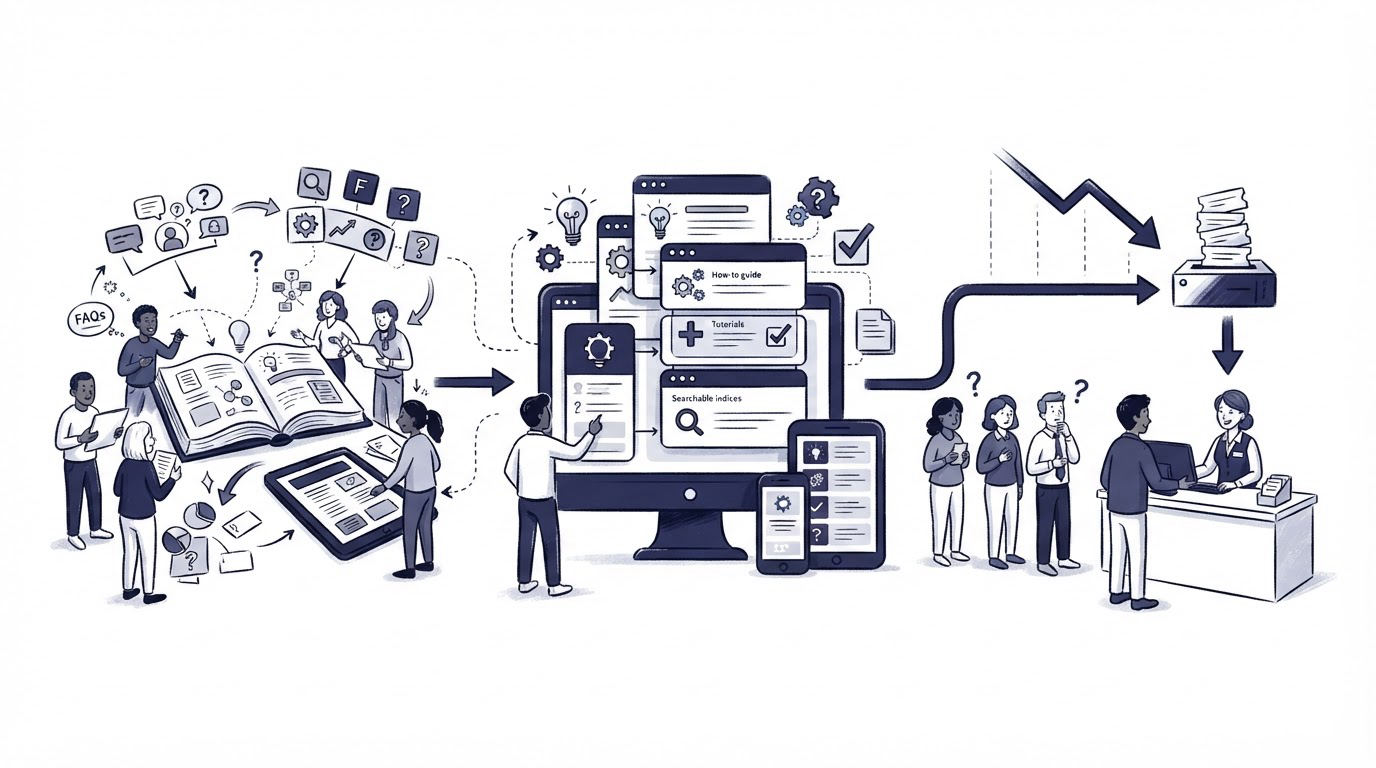
Customers often contact support because the answer exists only in an agent's head, an old chat thread, or a product walkthrough they cannot find. The result is a queue full of repeat questions about setup, billing, permissions, and common errors.
Cajobo brings knowledge base content, live chat, and customer feedback into one support workflow, which helps teams turn recurring conversations into useful self-service articles.
Quick answer: how to create a knowledge base
Follow this workflow to create a knowledge base customers will actually use:
- Export recurring support questions from the last 60 to 90 days.
- Group questions by customer task, then choose the articles with the highest support impact.
- Write one task-focused article for each selected question, with clear steps and screenshots where needed.
- Organize articles into a small set of customer-friendly categories and connect related pages.
- Publish, test every instruction in the product, and make the knowledge base easy to reach from support channels.
- Review searches, feedback, chat conversations, and ticket themes every month to improve weak articles.
The goal is simple: give a customer a reliable answer at the moment they need it, without making them wait for an agent.
Plan your knowledge base around real support questions
Start with evidence from customer conversations. Product teams often begin with a list of features, then create pages such as “Reporting” or “Account settings.” Customers usually search by outcome: “How do I invite a teammate?” or “Why is my export empty?”
Export the last 90 days of tickets, emails, and chat transcripts first. Add the exact wording customers use to a spreadsheet. Then tag each request by task, product area, account type, and frequency.
Use a simple priority score to decide what gets written first:
| Article candidate | Frequency | Customer impact | Support effort | Priority | First article angle |
|---|---|---|---|---|---|
| Invite a teammate | High | High | Low | Highest | Step-by-step invitation guide |
| Reset two-factor authentication | Medium | High | Medium | High | Account recovery instructions |
| Update invoice details | Medium | Medium | Low | Medium | Billing profile guide |
| Explain an uncommon API error | Low | Medium | High | Lower | Troubleshooting page after core articles |
A useful first release often contains 10 to 20 articles. That scope gives customers answers to the repeated questions while keeping review and upkeep manageable.
Run one example through the planning stage
Consider a hypothetical project-management SaaS at app.example.com. Its support log shows repeated requests about inviting contractors, setting permission levels, and removing former team members. The team initially plans one broad “Manage your team” article.
That page would force readers to scan through several unrelated actions. Split it into three pages instead:
/help/invite-team-members/help/change-team-member-permissions/help/remove-team-members
Each page can now match a clear customer goal, use a specific title, and answer a support request with fewer steps. This structure also gives agents a precise link to send during a conversation.
For a deeper SaaS-focused framework, see Knowledge Base Software for SaaS: What to Include and How to Structure It.
Write knowledge base articles customers can follow
A support article earns its place when a customer can complete the task from the page alone. Write the answer first. Save background context for a short section below the instructions.
Use the customer’s language from tickets and chat logs in the title, opening sentence, and steps. For example, use “How to invite a team member” when customers ask that question. A heading such as “Collaboration management” creates extra interpretation work.
Use a repeatable article format
Give every how-to article the same basic structure:
- A direct opening that states what the reader will achieve.
- Any required access level, plan requirement, or prerequisite.
- Numbered steps using the labels customers see in the interface.
- A screenshot or short video for actions that are easy to miss.
- A troubleshooting section for the most likely failure point.
- Links to the next relevant task.
For the hypothetical invitation article, the opening could read: “Workspace admins can invite a contractor from the Members page. The contractor receives an email invitation and chooses their own password.” The next section would show the exact clicks: Settings, Members, Invite member, email address, role, then Send invite.
Test the instructions in a fresh browser session before publishing. In the example above, testing reveals that the invitation button is hidden for users with a Manager role. Add that access requirement near the top of the article. This one detail can prevent a second support request.
Keep sentences short around product actions. Include the wording of buttons, menus, error messages, and fields exactly as they appear. Update screenshots whenever the interface changes.
Google’s guidance for helpful, reliable people-first content supports the same discipline: pages should provide clear value for a defined audience. Support content performs best when it solves the customer’s task fully.
Organize a knowledge base so customers can find answers
Good articles still need a usable information structure. Limit top-level categories to the areas customers recognize from their work in the product. For many SaaS products, five categories are enough: Getting started, Account and billing, Using the product, Team and permissions, and Troubleshooting.
Put high-demand articles close to the category landing page. Add links between tasks that happen together. The invitation article should link to the permissions and removal articles, since an admin often manages all three tasks in one session.
Use descriptive URLs and titles. /help/change-team-member-permissions is easier to understand than /help/article-42. It also creates a clearer signal for search engines and for agents sharing links in chat.
Build search terms from customer wording
Review ticket subjects and on-site searches monthly. If customers type “add user,” while the navigation says “invite member,” include both phrases naturally in the article. The article title can use one phrase, while the introduction can clarify the alternative wording.
Make category labels specific. “Getting started” helps a new user. “Resources” leaves the reader guessing. Google’s SEO Starter Guide also recommends descriptive titles and clear site structure, both of which support discoverability beyond your help center search.
Connect your knowledge base to live support and feedback
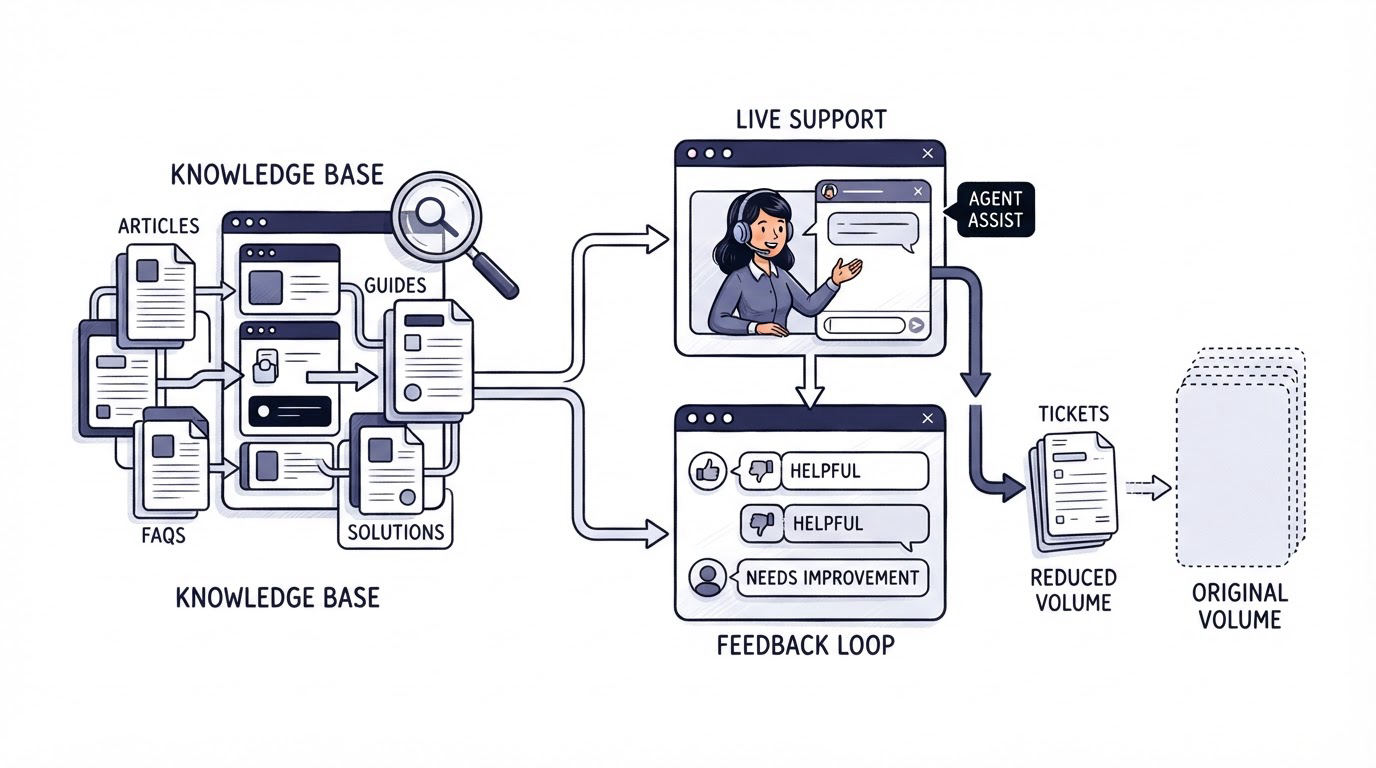
Publishing articles is only part of the support workflow. The strongest sources for improvements are the places where customers still ask for help.
Inside Cajobo Knowledge Base, start by publishing the articles selected from your ticket review. When a customer asks a repeated question in live chat, an agent can identify the missing explanation, unclear step, or outdated screenshot behind the request. Update the relevant article and use the revised page in future conversations.
Feedback adds a second signal. Place a simple helpfulness prompt at the end of key articles. A negative response should lead to a review of the page, especially its first few steps and prerequisites. Cajobo’s Feedback tools support this wider loop between customer sentiment and product or support improvements.
Return to the team-management example. After publishing the three articles, chat conversations show that contractors frequently fail at the invitation stage. The article itself is accurate, yet the email message lands in spam for some company domains. Add a troubleshooting section covering approved sender lists and ask the product team to review email deliverability. The knowledge base surfaced a product experience issue that article copy alone could not solve.
Read Cajobo Customer Support Platform: Live Chat, Knowledge Base, and Feedback in One Tool for a closer look at this connected support model. Teams that need to improve the quality of feedback collection can also use the practical guidance in Customer Feedback Widgets: How to Collect Useful Feedback on Your Website.
Maintain your knowledge base after publishing
A knowledge base needs an owner, a review rhythm, and an update process. Assign a person or small group to review article quality. They do not need to write every page. They do need authority to request product details, approve corrections, and archive stale content.
Set three review triggers:
- Review a page when a related feature changes.
- Review a page when it receives repeated negative feedback or related support requests.
- Review high-traffic and high-impact pages on a monthly or quarterly schedule.
Track a few operational measures rather than a long dashboard. Watch views of key articles, searches with no useful result, helpfulness feedback, repeat contact after an article is sent, and the recurring ticket categories you targeted. A downward trend in the targeted question category, combined with solid helpfulness feedback, signals that the content is doing useful work.
Archive duplicate pages and redirect old URLs when you consolidate content. Keep a change log in the article draft or your internal documentation. Agents need to know when an instruction changed, especially for billing, security, permissions, and account access.
Common mistakes when creating a knowledge base
The most expensive mistake is writing from internal terminology rather than customer tasks. Product names and team labels make sense to employees, yet customers may search for the action they are trying to complete.
Another common failure is publishing broad articles that contain several workflows. A reader who wants to remove a former employee should reach that answer quickly. Separate task pages also make support links more precise.
Outdated screenshots create avoidable confusion. Treat a major interface release as a documentation event. Add knowledge base review to the product launch checklist, alongside release notes and agent training.
Finally, avoid judging the knowledge base only by page views. High traffic may signal a widespread product problem or an unclear workflow. Combine traffic with feedback, chat context, and ticket reasons before deciding what to improve.
FAQ about how to create a knowledge base
How many articles should a new knowledge base have?
Start with the 10 to 20 questions that create the most repeat contacts or prevent customers from completing important tasks. Expand from support evidence each month. A smaller collection of accurate, discoverable articles serves customers better than a large collection of thin pages.
Who should write knowledge base articles?
Support teams usually own the first draft because they hear customer language every day. Product managers, designers, and engineers should review articles that cover complex functionality, permissions, billing, or technical troubleshooting. Give one person final publishing responsibility so style and accuracy stay consistent.
How do you know whether a knowledge base reduces support tickets?
Choose a specific ticket category before publishing the related article, such as team invitations or password resets. Track the category volume over time, the article’s helpfulness feedback, and how often agents still receive follow-up questions after sharing the page. Review the evidence after enough customer traffic has reached the article.
Should every support answer become a knowledge base article?
Create articles for repeatable questions with a stable answer and meaningful customer impact. One-off account investigations, confidential cases, and fast-changing incident updates usually belong in direct support channels. Use the pattern behind those cases to decide when a durable article is warranted.
How often should you update a knowledge base?
Update affected pages whenever product behavior, labels, access rules, or policies change. Review your most-used articles at least quarterly. A monthly review of failed searches, feedback, and repeated questions will reveal pages that need attention sooner.
Build the first version from your highest-volume support questions, test every instruction, then let chat and feedback expose the next improvement. For teams that want those support signals in one place, explore Cajobo and start with the knowledge base workflow.