
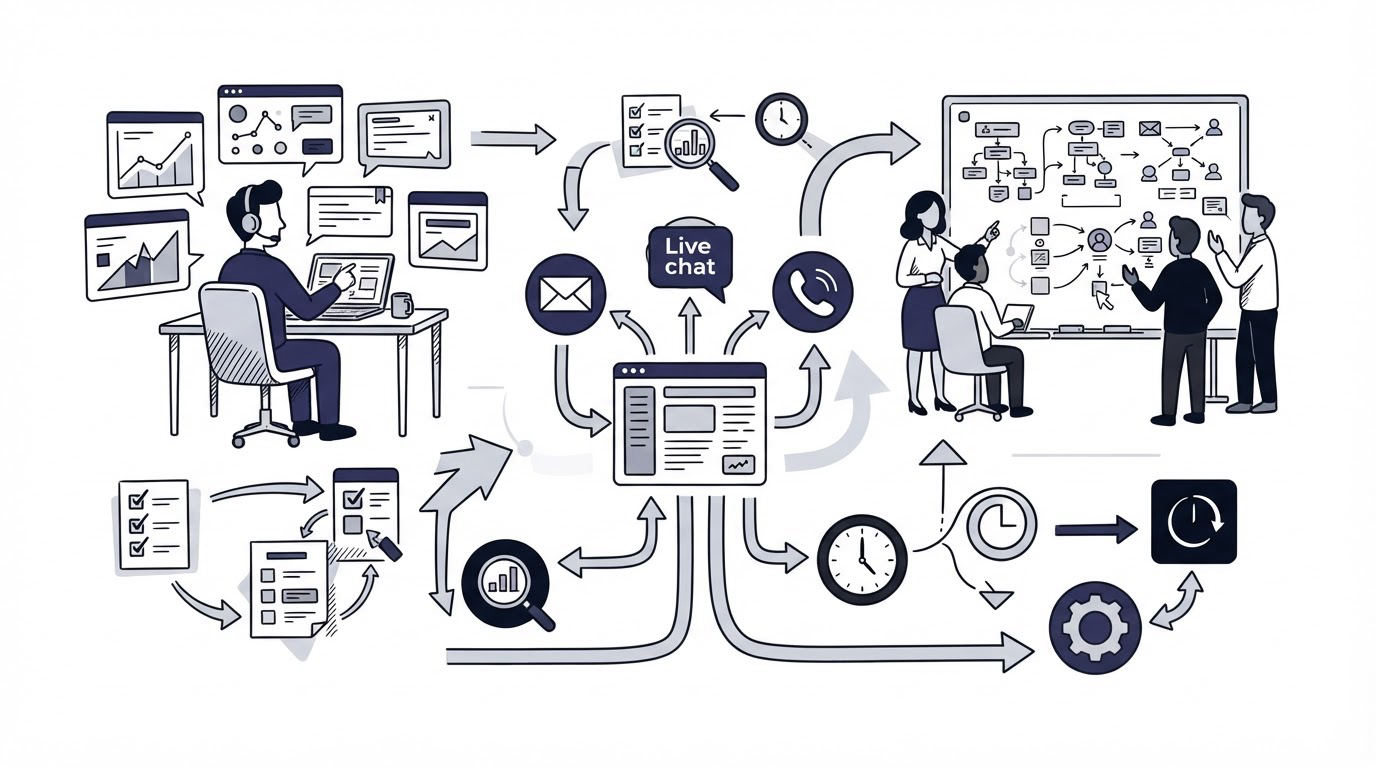
A startup can lose valuable customer context quickly when support questions arrive through a site chat, a shared email address, and product feedback forms. The result is slow replies, repeated questions, and feature requests that never reach the product team.
The best customer support tools for startups bring the support journey into a manageable workflow. Cajobo is built around that connection, combining live chat, a knowledge base, and customer feedback in one customer-facing support setup.
Quick answer: how to choose customer support tools for a startup
Use this workflow to evaluate tools before committing your team and customer data:
- List the support conversations, self-service questions, and feedback signals you need to handle in the next 12 months.
- Test live chat and the shared inbox with real routing, ownership, response-time, and conversation-history scenarios.
- Build a small help center around the five questions your team answers most often.
- Place feedback collection where users make decisions, then test how feedback reaches product planning.
- Compare total pricing, data access, identity handling, and integrations against a defined support workflow.
Start with the support workflow your startup actually needs
Choose tools after mapping the work they must support. A small SaaS product with 200 active accounts has different needs from a marketplace processing customer and provider questions every day.
Use EstimateFlow as a practical example. It is a fictional SaaS product that helps residential painting companies send estimates and schedule jobs. Its three-person team receives questions from prospects asking whether they can import customer addresses, current customers asking how to amend a quote, and painters requesting improvements to job-status notifications.
At first, EstimateFlow uses a generic inbox and a contact form. A founder answers messages at night. The same setup question arrives repeatedly: “Can I add separate labor and material lines?” Product requests sit in email labels, so the team cannot see whether several customers asked for the same change.
Their evaluation criteria become clear:
- Prospects need a fast answer before they leave the pricing page.
- Existing customers need searchable setup instructions.
- The product team needs visible, organized feedback tied to actual user accounts.
- Everyone needs a single view of a conversation when a chat becomes an email follow-up.
Write down comparable scenarios before every demo. For example, ask each vendor to show what happens when an identified user starts a chat, receives a help article, submits a feature request, and returns two weeks later. That test exposes gaps far faster than a feature checklist.
Compare live chat and shared inbox tools for startup support
Live chat earns its place when it shortens a meaningful customer decision or resolves an urgent issue. A website widget alone is only the visible part of the workflow. The team also needs assignment, ownership, context, and a reliable way to continue the conversation.
For EstimateFlow, the chat widget appears on the pricing and onboarding pages. A visitor asking about multi-user access should reach a person or receive a useful article promptly. An existing customer who identifies themselves should bring their previous context into the conversation.
When evaluating chat and shared inbox capability, test these operational details:
- Can team members assign, reassign, close, and reopen conversations with clear ownership?
- Does the conversation retain its history when the customer returns?
- Can agents share relevant knowledge-base links during a reply?
- Are conversations searchable by customer, company, topic, or status?
- Can the team define business-hour expectations and avoid leaving customers with vague response promises?
Identity is especially important for product-led SaaS. Passing a trusted user ID, email address, and relevant account traits gives the support team context while reducing duplicate records. Review Cajobo’s identity documentation with your developer before implementation so the widget reflects the user session your application already knows.
Chat also has a staffing trade-off. A widget invites customers to expect a response. Start with business hours and clear ownership if your team cannot cover continuous conversations. Then measure the question types arriving through chat and turn repeatable answers into documentation.
For a deeper decision on the channel itself, read Live Chat vs Help Desk: Which Support Model Fits?. Many early teams benefit from chat for pre-sales and in-product questions while maintaining a shared inbox workflow for longer cases.
Evaluate knowledge base software for startup self-service
A knowledge base reduces repeat work when customers can find an accurate answer at the moment they need it. It needs structure, ownership, and a direct connection to the product experience.
EstimateFlow begins with five articles: creating a first estimate, adding line items, inviting teammates, editing a sent quote, and changing notification settings. These articles come directly from support conversations. Each one answers a task with screenshots, prerequisite details, and the exact place in the product where users should start.
Build the first version around high-frequency questions, then review search terms and unresolved conversations monthly. The team discovers that “edit quote after sending” has a high search count but its article receives several follow-up chats. The issue is a missing explanation about quote status. They add that step and link it from the chat reply template.
Google’s guidance on creating helpful, reliable content supports the same practical standard: create pages for people completing a real task. Help center articles work best when their titles match the wording customers use, their steps match the current interface, and someone owns updates after releases.
Accessibility belongs in the evaluation too. Support content serves a wider audience when it follows the W3C Web Content Accessibility Guidelines, including meaningful headings, legible contrast, and useful image descriptions.
Review how to create a knowledge base that reduces customer support tickets before creating categories. For SaaS teams, this guide to structuring a knowledge base also helps turn product areas into a help center customers can scan quickly.
Compare customer feedback tools with your support workflow
Support tickets show where customers are blocked. Feedback shows where customers want the product to go. Startups gain more from feedback tools when feedback is collected in context, organized around a clear process, and visible to the people planning the roadmap.
EstimateFlow adds a feedback entry point inside its quote editor. Customers can submit requests while the relevant workflow is fresh. The team also adds a one-tap satisfaction question after a resolved support interaction. A poor response becomes a prompt for follow-up, while recurring requests become candidates for product review.
Look for three paths in the tool you choose: collection, triage, and follow-through. Collection covers embedded widgets and targeted prompts. Triage covers duplicate detection, categories, statuses, and ownership. Follow-through covers informing customers when the team has considered, planned, or released an improvement.
A failure mode appears when every request enters a single backlog with no owner. The list grows, customers receive no update, and the product team loses confidence in the signal. Assign a weekly review owner, merge obvious duplicates, and add enough context to explain the customer problem behind each request.
For implementation ideas, see how to collect useful website feedback and how to measure customer satisfaction with one-tap feedback.
How startup support tools help service businesses answer quote questions
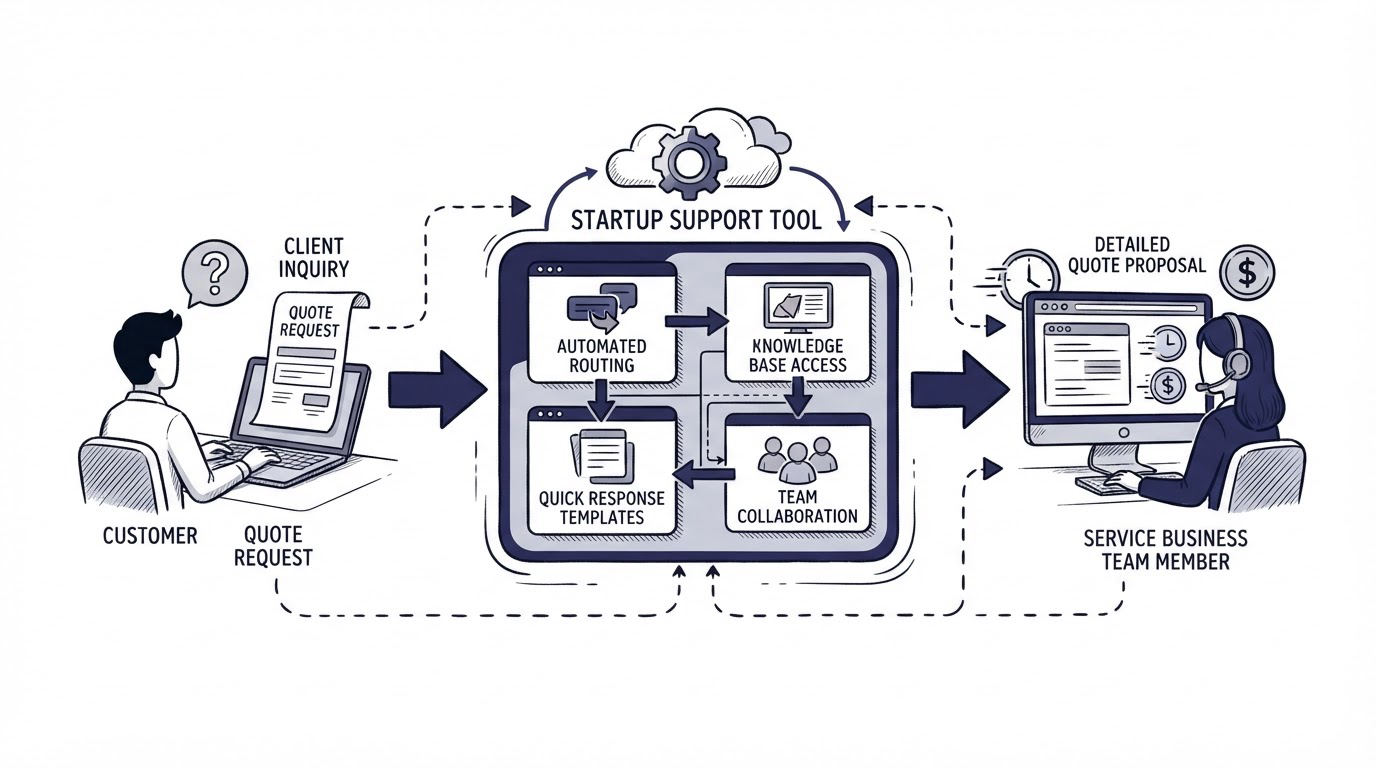
The same support framework applies to service businesses where a visitor needs confidence before requesting a quote. Consider a painting company receiving repeated website questions about preparation, room size, timing, and scope. A live chat prompt can clarify the service area and job type, while a knowledge base can explain how estimates are prepared. Feedback after an enquiry can reveal where the quote-request journey causes uncertainty.
A homeowner who is comparing options may search in Spanish for “cuánto cuesta pintar un piso de 90 metros” before contacting a painter. A support team can turn that recurring question into a clear guide that explains the variables affecting an estimate, such as surface condition, number of rooms, ceilings, trim, and preparation work. This saves staff time and helps visitors send more complete enquiries.
For readers researching painting services in Spain, guidance on precio pintar piso completo and related estimate questions can help frame the information a customer needs before requesting a painter’s quote. Use that research to identify the questions people ask most often, then build an FAQ, chat response, and contact form fields around those questions.
The practical lesson carries back to startup support: high-intent questions deserve a consistent answer across chat, self-service content, and the sales or service inbox. Track which questions still lead to a handoff, because those are the pages and workflows that need refinement.
Compare pricing and integrations before choosing a support platform
Pricing deserves a workflow-based review rather than a simple monthly total. List the people who need access today, the roles you expect to add, the volume of customer conversations, and the functions that may sit behind plan limits. Review annual versus monthly billing, limits on help center content, and the cost of adding teammates as the company grows.
Integrations should support a specific handoff. EstimateFlow wants user identity from its app, conversation notifications for the support team, and a way to export feedback themes for product planning. Each integration should have an owner and a defined outcome.
Ask vendors to demonstrate the exact handoff. “Works with” can mean a native integration, a limited connection, a webhook, or a manual export. Those approaches have different setup effort and different failure points.
| Tool | Strongest startup use case | Core areas to test | Watch closely during evaluation |
|---|---|---|---|
| Cajobo | Teams that want chat, help content, and feedback connected | Live chat, knowledge base, feedback, user identity | Whether the combined workflow matches your support ownership model |
| Crisp | Teams centered on customer messaging | Chat, team inbox, help center, messaging channels | Channel routing, seat growth, and the inbox workflow for longer cases |
| Intercom | Teams with a broad customer communications program | Messaging, help center, automation, support operations | Plan structure, usage-based costs, and administration overhead |
| Featurebase | Product teams prioritizing feedback and roadmap communication | Feedback collection, feedback management, knowledge content, support features | How support conversations and feedback records stay connected |
Check each vendor’s own pricing page immediately before purchase. Plans, included limits, and feature availability can change.
How Cajobo handles chat, knowledge base, and feedback in one workflow
A combined system removes several handoffs from the EstimateFlow process. Start by adding Cajobo Live Chat to the product and public site, then identify logged-in customers through the application. The support team sees who is writing and can respond with relevant context.
Next, publish the recurring setup answers in the Cajobo Knowledge Base. When a customer asks how to edit a sent quote, the agent can share the matching article, watch for gaps in its instructions, and improve it after the conversation.
Then place Cajobo Feedback inside the quote editor and other meaningful product moments. A request for bulk editing stays visible as product feedback instead of disappearing into a conversation label. The team can organize requests, keep customers informed, and use the feedback history during prioritization.
Finally, review the workflow each week. Export the latest conversations first, identify repeat questions, update the related article, and group product requests around the underlying job customers are trying to complete. This sequence gives a small team a workable support loop before complexity accumulates.
Review Cajobo pricing alongside your expected team size and workflow needs. The right choice is the one your team can maintain consistently as volume increases.
Common mistakes when comparing customer support tools for startups
A long feature list can hide operational gaps. Avoid choosing from a homepage comparison alone.
First, teams often buy chat before deciding who answers it. Set business hours, routing rules, escalation ownership, and a response target before publishing the widget.
Second, teams publish a help center and leave it unchanged after product releases. Add documentation review to the release checklist. An outdated article creates more follow-up work than no article.
Third, feedback gets treated as a vote count. Read the problem description, customer segment, urgency, and affected workflow before prioritizing. Five requests from customers blocked by the same task carry more practical weight than a scattered list of feature ideas.
Fourth, teams connect every available integration. Keep the first setup small. Add a connection when it eliminates a documented manual step or gives an owner information they can act on.
FAQ
What are the most important customer support features for a startup?
Start with a shared conversation workflow, searchable customer context, a knowledge base, and a feedback process. Live chat becomes especially valuable when prospects or active users need timely help during a purchase or product task.
Should a startup use live chat or a help desk?
Use live chat for immediate website and in-product conversations. Use a shared inbox or help desk workflow for cases that require investigation, multiple replies, or internal coordination. Many startups use both paths inside one support operation.
When should a startup create a knowledge base?
Create a knowledge base as soon as your team sees repeat questions. Begin with the five most common issues, then add and improve articles using conversation and search data.
How should startups collect customer feedback?
Collect feedback close to the relevant product action, capture the customer’s problem and use case, then assign a regular review owner. Give customers updates when a request is being considered or released so feedback has a visible lifecycle.
How can a small support team choose between all-in-one and specialist tools?
Choose an all-in-one tool when the same people need to move between chat, documentation, and feedback every day. Choose specialist tools when a mature process requires deep capability in one area and the team has capacity to manage the handoffs. Map the workflow first, run a real scenario in each product, and choose the setup that reduces manual context switching.