
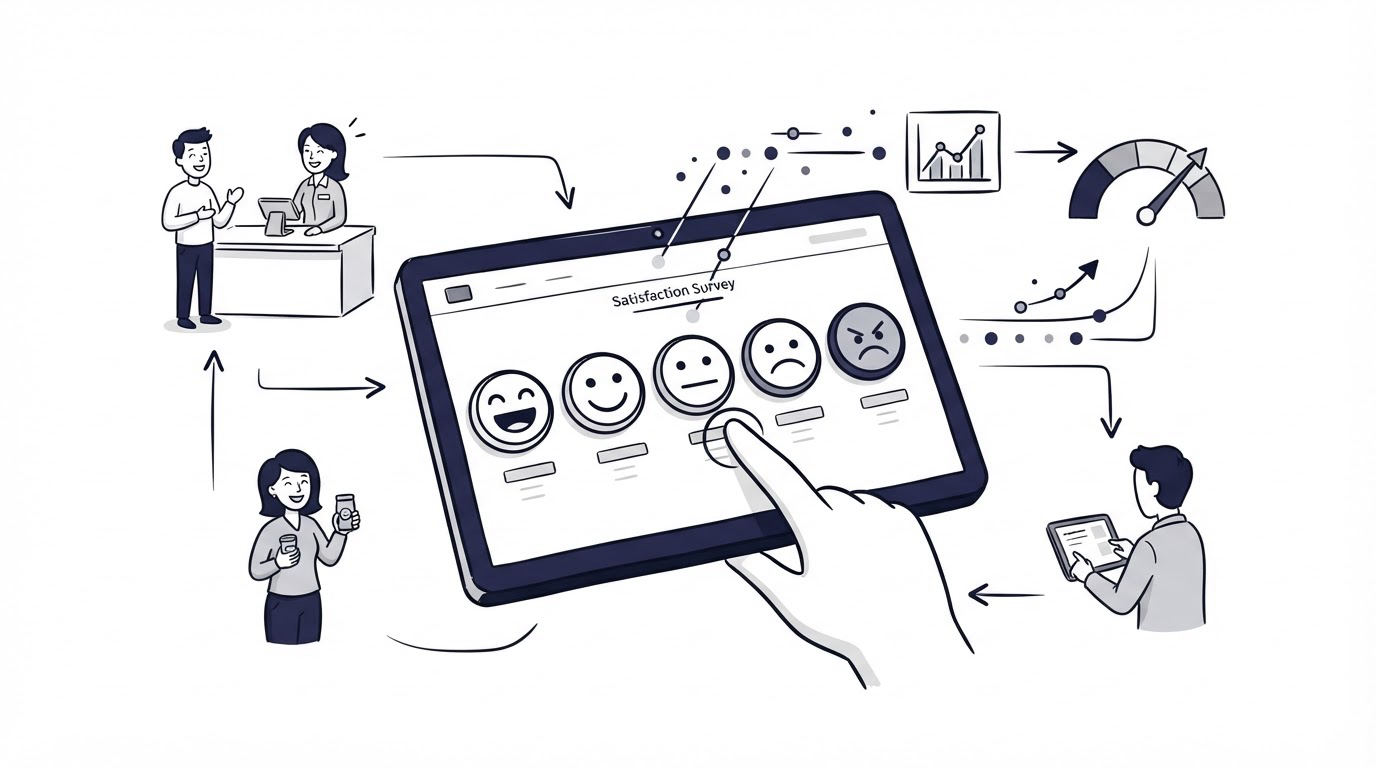
A customer closes a chat, reads a help article, or completes a task on your site. That moment contains useful feedback, yet a long survey usually arrives too late or asks for more effort than the customer wants to give.
One-tap feedback captures the immediate reaction while the experience is fresh. Cajobo helps teams collect and organize feedback without turning every customer interaction into a survey project.
Quick answer: how to measure customer satisfaction
Use this workflow to measure customer satisfaction consistently:
- Choose one customer moment to measure, such as a resolved support conversation or completed onboarding task.
- Ask one short satisfaction question and offer a one-tap emoji scale.
- Add an optional follow-up question for low scores.
- Calculate CSAT by dividing positive responses by all scored responses, then multiply by 100.
- Segment results by journey, issue type, plan, channel, or product area.
- Review comments and low-score patterns each week, assign an owner, and close the loop with customers.
Choose the customer moment before you send feedback
Customer satisfaction measures a specific experience. Start with a single event where the customer can reasonably judge what happened. Good starting points include a support conversation marked resolved, a knowledge base article viewed to the end, a feature request update, or a completed account setup.
A broad question such as “How satisfied are you with our company?” produces vague answers. A targeted question such as “How satisfied were you with the help you received today?” gives your team a clear operational signal.
Use this fictional example throughout the workflow: Trailhead Scheduler is a B2B appointment scheduling product. Its support team adds a satisfaction prompt after each resolved request at app.trailheadscheduler.example/support/requests/4821. Early results show a falling score, yet the team initially treats every low score as a support-agent issue. The comments later show that customers are frustrated by calendar-sync delays, which support agents cannot resolve alone.
That finding changes the next step. The team needs enough context with each response to separate service quality from product friction.
How to measure customer satisfaction with a one-tap question
Place the prompt directly after the experience you want to evaluate. For support, show it after resolution. For self-service content, show it after the reader has had time to use the guidance. For an onboarding flow, show it after the user reaches the first meaningful outcome.
Ask a clear question in plain language:
“How satisfied were you with the help you received?”
A three-emoji scale works well for many customer touchpoints:
| Response option | Suggested meaning | CSAT treatment | Best use |
|---|---|---|---|
| 😞 | Dissatisfied | Negative | Identifying friction and urgent follow-up |
| 😐 | Neutral | Neutral | Finding experiences that met only the minimum expectation |
| 😊 | Satisfied | Positive | Tracking successful outcomes over time |
Keep the labels visible beside or beneath each emoji. Visual symbols vary across devices and cultures, while text gives every respondent the same meaning. Give keyboard users an equal way to select a response, and ensure each control has an accessible name. The W3C WCAG guidance on labels explains why clear instructions and labels support accessible form interactions.
Trailhead Scheduler uses “How satisfied were you with this support conversation?” after ticket resolution. It also asks dissatisfied respondents one optional question: “What could we have done better?” That second question captures context without slowing down every respondent.
Improve response quality before you chase a higher response rate
A large response count can still mislead your team. Useful satisfaction feedback comes from customers who understand the question, can answer quickly, and receive the request close to the relevant experience.
Timing has the strongest effect. Send a support survey after a request is resolved, rather than during an active troubleshooting exchange. Display article feedback after the reader has spent enough time on the page. Suppress repeat prompts for a sensible period so frequent visitors do not see the same question every day.
Keep the survey short. One tap earns the initial signal. An optional comment field earns explanation from people who have something specific to say. Required comment boxes lower completion and encourage low-effort text.
Also record the context alongside the score. At minimum, retain the date, journey, page or conversation ID, customer segment, and the team responsible for the experience. Trailhead Scheduler added ticket category and affected product area. Within two weeks, its team could see that most dissatisfied ratings appeared on calendar-sync requests rather than billing or account-access conversations.
Respect privacy from the start. Tell customers why you collect feedback, limit access to identifiable responses, and define a retention period. Teams serving people in the UK can use the ICO guidance on data protection and surveys when designing their collection process.
Calculate CSAT and interpret the result correctly
For a three-option emoji scale, calculate CSAT using satisfied responses:
CSAT = (number of satisfied responses ÷ total scored responses) × 100
If 68 people select 😊 from 100 total emoji responses, the CSAT score is 68%.
Choose and document your treatment of neutral responses. The common approach counts only positive responses in the numerator and includes every scored response in the denominator. Keep that method stable so monthly comparisons remain useful. A team can also track the neutral share separately, because a rising neutral share often signals a service that feels merely adequate.
Read CSAT beside three supporting measures: response volume, comment themes, and the share of dissatisfied ratings. A score based on 12 responses has far less diagnostic value than one based on 250 responses. Avoid presenting tiny samples as firm trends.
At Trailhead Scheduler, the overall score dropped from 78% to 69%. The first reaction was to coach the support team. Segmentation showed a different pattern: calendar-sync tickets drew 31 dissatisfied responses, and 24 comments mentioned delayed updates. The product team received a specific issue to investigate, while support updated its troubleshooting guidance for affected customers.
Export the last 90 days first. Group comments by recurring cause, then compare each cause with the relevant score and response count. This produces a priority list built from both volume and severity.
Use emoji feedback across support, self-service, and product journeys
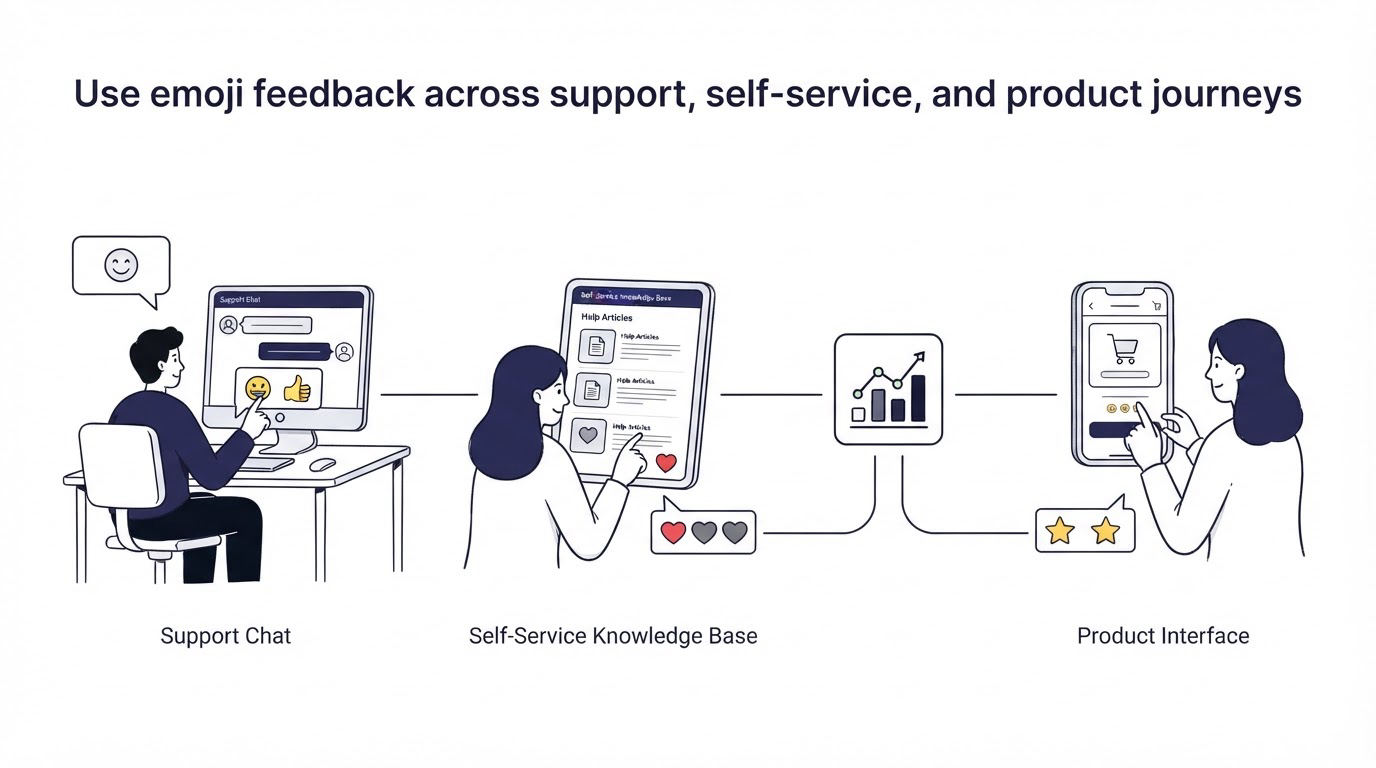
One-tap feedback works best when each prompt has an owner and a defined action. Connect the question to the experience rather than placing a generic widget across every page.
For live conversations, use the prompt after the customer confirms the issue is resolved. A team using Cajobo Live Chat can make the end of the conversation the measurement point and review low scores alongside the original discussion.
For self-service content, add a short “Did this solve your problem?” prompt at the end of an article. Link the result to the article URL, search term, and support topic. Teams building a help center can use Cajobo Knowledge Base to identify guidance that leaves readers uncertain or dissatisfied.
For product feedback, ask after a completed workflow, such as publishing a campaign or inviting a teammate. Keep the question tied to that workflow. A customer rating account setup should never become evidence about billing, product reliability, and support quality at once.
Measure customer satisfaction in Cajobo
A manual spreadsheet can work for a small volume of responses. It becomes fragile when feedback arrives from several journeys and different people need to act on it. Cajobo provides a focused place to collect customer input and turn it into a repeatable review process.
Start in Cajobo Feedback with the journey you want to measure. Create the one-tap satisfaction prompt and write the question around that specific interaction. Use a short optional follow-up for dissatisfied customers, with language that invites a concrete explanation.
Next, capture the context your team will need during review: the relevant page, conversation, or product area. Bring the feedback into a regular triage session. Group similar responses, identify the owner for the issue, and record the decision. Some patterns call for a help article update. Others need a product fix or a support-process change.
Then close the loop. Reply where a response is identifiable and contact is appropriate, especially when a customer reports a blocked workflow. The goal is a dependable feedback habit: collect, interpret, assign, improve, and measure again.
Review Cajobo pricing when you are ready to choose the plan and setup that fits your feedback volume and team workflow.
A membership association use case for satisfaction feedback
Membership organizations have a useful satisfaction moment immediately after a member receives help with renewal, profile changes, event registration, or payment questions. A short emoji prompt can ask, “Did we resolve your membership administration question today?” The response tells the association whether the member experienced a clear answer, a slow handoff, or an unresolved process.
This is especially useful when staff combine support conversations with online ledenadministratie vereniging processes. A member may contact the association because a household record needs changing, a club administrator needs access, or a registration status looks incorrect. Capture the rating after the case closes and tag the reason for contact. Over time, recurring low scores reveal which administrative steps need clearer instructions, better member communication, or a workflow review.
Teams evaluating systems for member administration can explore vereniging software and online membership administration options from Membro BV alongside their feedback process. Keep the measurement boundary clear: ask about the completed support or administration interaction, then use comments to identify the specific step that created friction. This gives membership staff a practical queue of improvements instead of a vague annual satisfaction result.
Common mistakes when measuring customer satisfaction
Asking after every interaction
Frequent prompts create fatigue and can bias results toward customers with unusually strong opinions. Set a prompt frequency rule for each journey and review it after launch.
Treating every low score as a frontline support problem
A support agent often receives the rating, while the cause sits in the product, policy, documentation, or payment flow. Include issue type and product area before assigning responsibility.
Hiding low scores inside an average
A stable CSAT average can conceal a serious problem in a high-value journey. Review results by segment and event. Trailhead Scheduler found its calendar-sync issue only after separating ticket categories.
Collecting comments without a review routine
Feedback loses value when nobody owns the next action. Schedule a weekly review, assign every recurring issue, and revisit the score after a change ships.
FAQ
What is a good customer satisfaction score?
A useful score is one your team can compare consistently across the same journey. Establish a baseline, then focus on movement by segment and the causes behind dissatisfied ratings. Different industries, customer types, and question wording produce different baselines.
Should neutral emoji responses count in CSAT?
Include neutral responses in the total response count and track them separately. Most CSAT formulas reserve the positive numerator for satisfied responses. Document the rule in your reporting notes so every report uses the same calculation.
How many customer satisfaction responses do I need?
Start collecting immediately and report the raw response count beside every percentage. A larger, representative sample gives more confidence. For small samples, use comments and case reviews to guide action while the response base grows.
Can emoji feedback replace a longer customer survey?
Emoji feedback is ideal for measuring a single interaction at scale. Longer surveys still help when you need detailed research on priorities, brand perception, or a broad relationship review. Use each method for the decision it can support.
What should I do after a customer gives a dissatisfied rating?
Review the interaction, read the comment, and identify the responsible team. Contact the customer when a direct follow-up can solve the issue. Log the underlying cause, track similar reports, and measure the same journey after the improvement is in place.
A one-tap prompt gives your team a fast, repeatable signal after the moments that shape customer confidence. Start with one high-volume journey, preserve the response context, and build a weekly routine around the findings.