

A trial user cannot find the billing page. A workspace owner reports an access issue. A teammate answers each message from a separate inbox, then the same question arrives again tomorrow. SaaS support needs a system that gives agents customer context and gives customers a dependable route to answers.
Cajobo brings the chat widget, shared support workspace, identity tools, and knowledge base together so teams can run that system without spreading the work across disconnected tools.
Quick answer: how to use live chat for SaaS
Set up live chat for SaaS with this workflow:
- Add a chat widget to the pages where customers need help.
- Verify the signed-in user so agents see reliable account context.
- Route every conversation into a shared inbox with a clear owner.
- Resolve the immediate issue with a specific answer or product action.
- Turn repeated questions into knowledge base articles and link them in future replies.
- Review chat themes each week to improve onboarding, documentation, and product feedback collection.
Start live chat for SaaS where customers get stuck
Place the chat entry point where uncertainty is likely to block progress: inside the app, on pricing and plan pages, in onboarding, and near account settings. Each location produces a different category of conversation. An in-app question often concerns product use. A pricing-page question often concerns fit, permissions, or billing.
Keep the opening prompt useful and narrow. “Need help with your workspace?” gives a customer a clear starting point. A broad “How can we help?” can work too, although it typically asks the customer to do more of the diagnosis.
Use the widget as the first door to support, then make sure every reply lands in one team-owned place. The Cajobo customer support platform explains why chat, documentation, and feedback produce better results when the team can use them together.
Consider a fictional project-management SaaS called Sprintlane. Its /app/invite-members screen receives repeated messages from new administrators: “Why did my invite fail?” The team adds chat to that screen and uses an opening prompt that asks whether the customer is inviting a teammate, changing a role, or diagnosing a failed invitation. That small structure gives the agent a useful starting point before the first manual reply.
Verify customer identity before discussing account details
Account-specific support requires confidence about who is asking. A person reporting an invoice issue, a team permission problem, or a failed account change may need access to information that belongs only to their organization.
Connect the widget to your application’s signed-in identity. Provide the fields agents need to resolve the case, such as a stable user ID, email address, account or workspace ID, plan, and role. Keep the data limited to support context. A role label like “Workspace owner” is usually more actionable than a large, unfiltered profile payload.
Cajobo’s Identity documentation covers the implementation details for tying a user to their conversations. Configure identity before launching account-level chat across the product.
This setup also helps prevent a common failure mode: an agent receives an urgent request from a visitor who knows an email address but cannot be verified as the account owner. Establish an escalation path for ownership, billing, and security requests. The OWASP Authentication Cheat Sheet provides useful guidance on authentication controls and reauthentication for sensitive actions.
For Sprintlane, the agent sees that the sender is Maya Chen, a verified workspace owner at northstar-design, with a Business plan. The invitation error has a clear cause: the intended teammate already belongs to another workspace. The agent can explain the next action without asking Maya to repeat basic account details.
Run live chat for SaaS from a shared inbox
A shared inbox gives every conversation an owner, a history, and a visible status. Without that operating discipline, chat becomes a queue of isolated messages and customers receive duplicate or delayed replies.
Set simple rules before volume rises. Assign the first responder, define when a conversation moves to engineering or billing, and record the final resolution before closing the thread. For a small SaaS team, one person may cover several roles. The ownership rule still applies.
| Conversation type | First owner | Information needed | Resolution path |
|---|---|---|---|
| How-to question | Support | Page or feature, user goal | Send steps and relevant article |
| Account access | Support or admin | Verified identity, workspace, role | Check access state and escalate when required |
| Bug report | Support | Reproduction steps, browser, screenshots | Confirm scope, create engineering handoff, update customer |
| Billing question | Billing owner | Verified account and subscription context | Explain policy or complete the approved account action |
| Feature request | Product owner | Use case, affected workflow, account context | Log feedback and close the loop when appropriate |
Sprintlane initially makes a costly process mistake. A support agent forwards the failed-invitation message to engineering with only “Invites broken.” Engineering cannot reproduce it. The agent later adds the workspace ID, target email behavior, role, and exact error state. The second handoff gives engineering a usable report. Capture that context in the conversation while the customer is present.
Chat response speed matters, though accuracy and ownership matter too. Set expectations when a handoff needs more time. A concise message such as “I have sent this to our engineering team and will update this conversation after they review the invitation error” prevents a customer from opening three duplicate chats.
Build a knowledge base from repeat chat questions
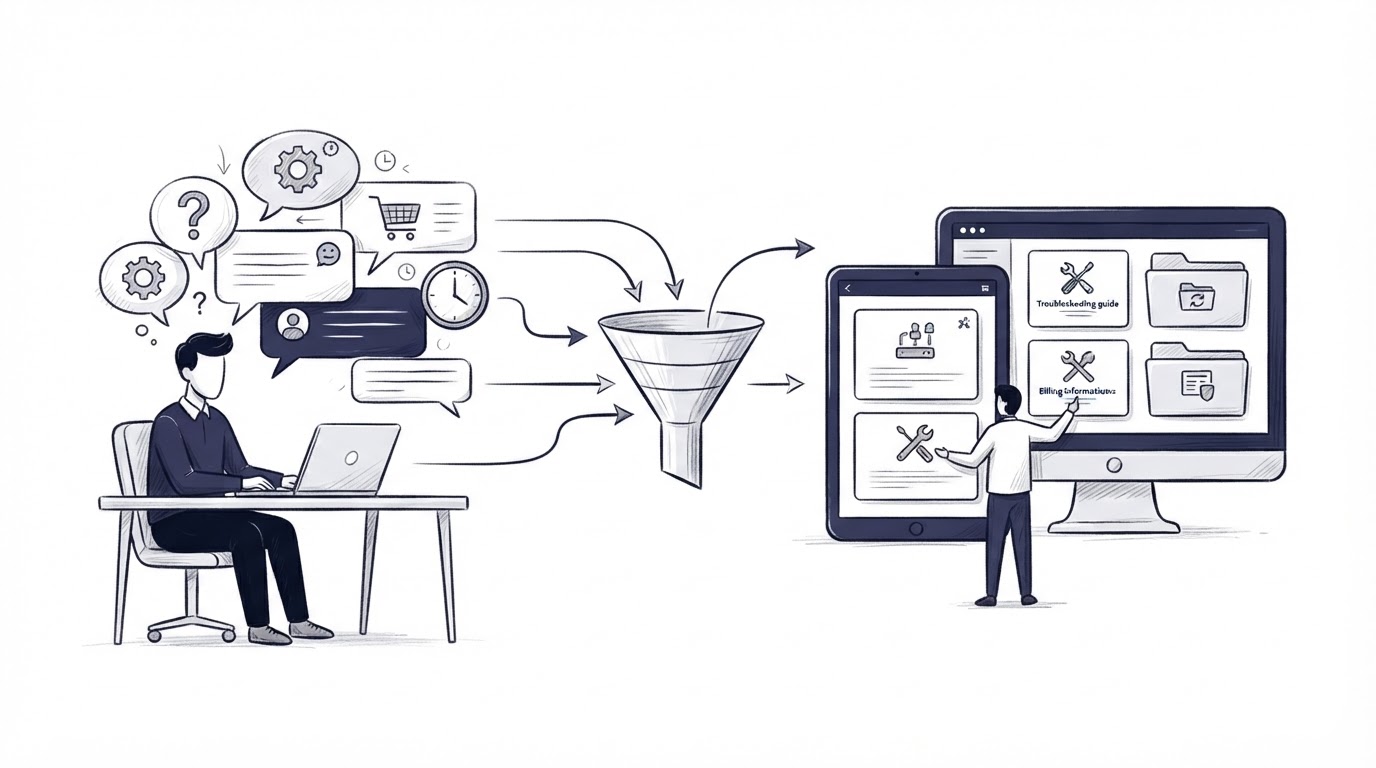
Every repeated support conversation is evidence that a customer needs a self-serve answer. Review resolved chats weekly and identify questions that appeared several times, blocked onboarding, or required multi-step explanation.
Write the article around the task the customer is trying to complete. “Invite a teammate to your workspace” is more useful than a category label such as “User management.” Include the exact path through the product, the expected result, and a short troubleshooting section for known edge cases.
For Sprintlane, the team creates /help/invite-a-teammate after several invitation chats. The article explains how to select a role, what happens when an email already belongs to another workspace, and where an owner can review pending invites. Agents link the article in chat, then add one sentence tailored to the customer’s current state.
Accessible documentation also makes support easier to use for more people. Follow the W3C Web Content Accessibility Guidelines when publishing help content, especially for meaningful headings, link text, keyboard access, and clear error guidance.
A knowledge base needs maintenance. Assign an owner for each high-traffic article and review it after relevant product releases. Outdated steps generate avoidable conversations and weaken customer trust.
How Cajobo connects chat, identity, inboxes, and help content
A SaaS team can assemble this workflow with separate systems, then maintain customer data, ownership rules, and documentation links across each one. Cajobo keeps the support workflow in one product.
Start by placing Cajobo’s chat widget on the pages where questions occur. When a user contacts support, their verified identity can give the responding teammate the context needed for account-specific conversations. The message enters the team’s shared support workflow, where a teammate can take ownership and preserve the conversation history.
When the same product question appears again, publish or improve the related knowledge base article. Then use that help content in future replies so the answer stays consistent while the agent handles the customer’s specific situation. Feedback collected around those conversations can also give product teams a clearer view of recurring friction.
This approach works especially well for SaaS teams because the support request, the customer’s workspace context, and the product learning are connected. Learn more about the Cajobo support platform, or review the full product on the Cajobo homepage.
Common live chat mistakes SaaS teams should avoid
Launching chat without a shared ownership model creates missed conversations. Give each thread a named owner and define when to escalate it.
Asking verified users to restate their account, plan, or workspace details wastes time. Pass relevant identity context from the app to support while limiting data to what agents need.
Treating every chat as a one-off response leaves repeat demand untouched. Turn recurring questions into maintained help articles and feed product issues into your established feedback process.
Putting chat everywhere without reviewing the resulting conversations can create noise. Begin with high-intent areas, examine the questions after a few weeks, and expand where chat removes a clear customer obstacle.
FAQ about live chat for SaaS
Should a SaaS company use live chat inside the app?
Yes, in-app chat is valuable when customers need help completing a task, understanding a setting, or resolving an account issue. Pair it with verified identity and a shared inbox so the support team has the context to act.
How do you keep live chat from overwhelming a small SaaS team?
Limit the first rollout to the highest-friction pages, set response expectations, and publish help articles for recurring questions. A shared inbox also makes workload and unanswered threads visible across the team.
What customer data should support agents see in chat?
Show data that helps resolve the request: verified user identity, workspace or account ID, role, plan, and relevant product state. Restrict sensitive actions through your internal approval process.
When should a chat answer become a knowledge base article?
Create an article when a question recurs, blocks a common workflow, requires several steps, or is useful before a customer contacts support. Review chat tags and closed conversations weekly to find candidates.
How much does live chat for SaaS cost?
The cost depends on team size and required support workflow. Review Cajobo pricing for current plan details, then evaluate the time spent answering repeat questions and maintaining separate support tools.
For SaaS teams that want chat, verified customer context, shared ownership, and self-service content in one workflow, set up Cajobo around the customer journeys that generate the most support demand.