
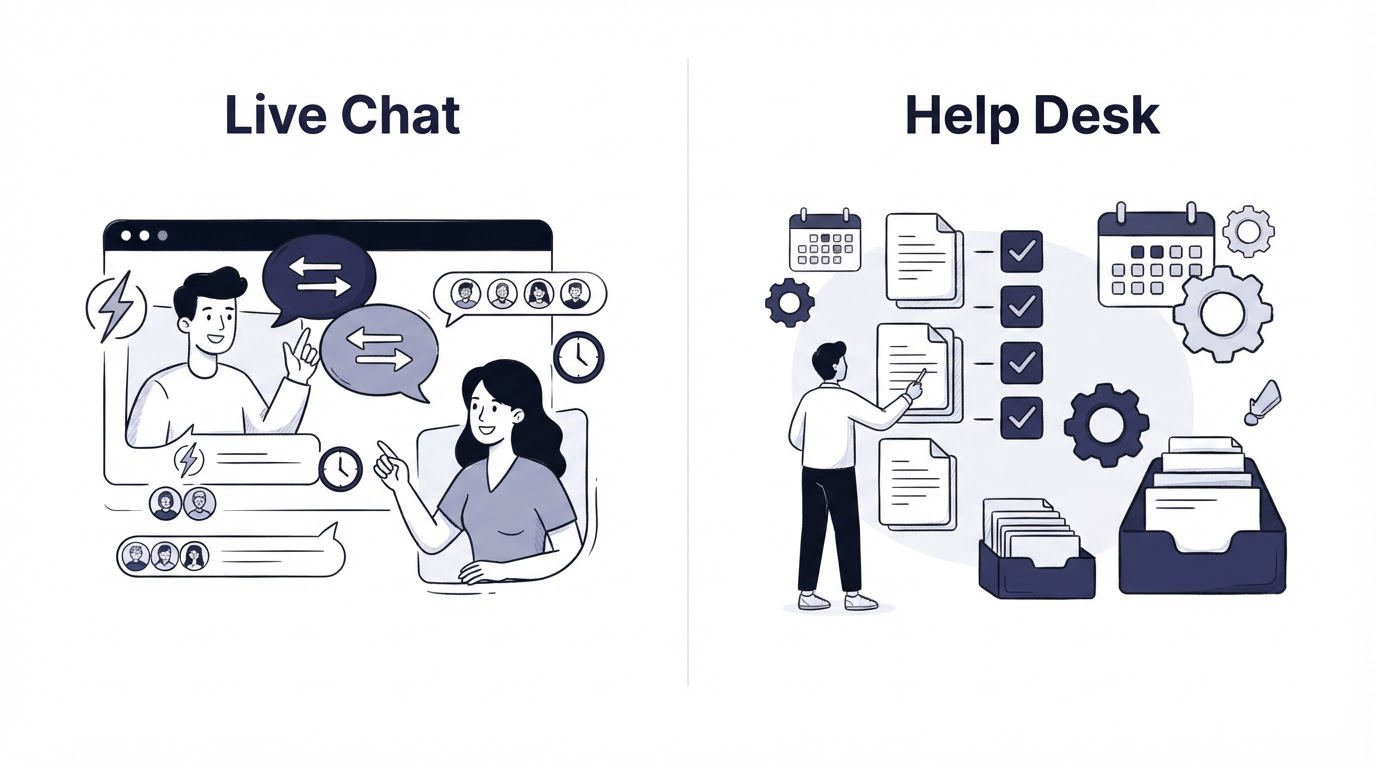
A visitor reaches your pricing page, asks whether your product supports SSO, and needs an answer before a buying meeting. Meanwhile, an existing customer emails a reproducible billing issue that needs investigation across several days. Treating both requests the same way creates slow replies, lost context, or unnecessary back-and-forth.
The live chat vs help desk decision comes down to the shape of the work. Live chat serves immediate conversations. A help desk manages cases that need ownership, history, routing, and follow-up. Most growing teams also need a knowledge base, a shared inbox, and a feedback loop around those core channels.
Quick answer: how to choose between live chat and a help desk
- List the support requests you receive and mark each one by urgency, complexity, and expected resolution time.
- Send immediate pre-sales and simple product questions to live chat during staffed hours.
- Send bugs, billing disputes, account changes, and multi-step investigations into a help desk workflow with an owner and status.
- Turn repeated answers into knowledge base articles and link those articles in replies.
- Use a shared inbox when email, chat, and team coordination need one place for visibility and handoffs.
- Collect feedback after resolved conversations, then send feature requests to the product team with their original context.
- Choose Cajobo when your team needs live chat, self-service content, and customer feedback connected in one customer-facing system.
Live chat vs help desk: the practical difference
Live chat is a real-time conversation channel. It works best when a visitor or customer is available now and a capable teammate can answer quickly. Common examples include plan questions, onboarding guidance, login trouble, and a quick check on a product capability.
A help desk is a case-management process. Each request becomes a trackable record with an owner, status, internal notes, attachments, and a history of every interaction. It suits work that crosses teams or needs a reliable audit trail.
Consider a three-person B2B SaaS support team. A visitor on /pricing asks, "Can our finance team pay annually by invoice?" A chat reply can resolve that within minutes. Later, the same company reports that its CSV export omits a field from /reports. The support teammate needs the account ID, export settings, browser details, engineering input, and a final confirmation from the customer. That request belongs in a managed support workflow.
| Support need | Best starting model | Why it fits | Useful follow-up |
|---|---|---|---|
| Pre-sales question on a pricing page | Live chat | The buyer is active and expects a quick answer | Share the relevant plan or documentation page |
| Password or access question | Live chat or shared inbox | A short exchange usually resolves it | Capture the final answer for future self-service |
| Billing correction | Help desk workflow | Ownership and a complete record protect both customer and team | Add internal finance notes and resolution status |
| Reproducible product bug | Help desk workflow | Engineering needs structured evidence and updates over time | Link the ticket to the product issue |
| Repeated setup question | Knowledge base | Customers can solve it at any hour | Add the article to chat replies |
| Feature request after a conversation | Feedback system | Product teams need themes and prioritization context | Connect it to a feedback board or roadmap |
The team in this example made an early mistake: it kept the export defect inside a chat thread. Two shifts later, the customer had repeated the issue to a second teammate, and engineering had incomplete reproduction steps. Moving the investigation into a tracked workflow prevented another handoff failure.
For a deeper channel-by-channel comparison, see Live Chat vs Help Desk: Which Support Model Fits?.
When live chat is the right support model
Choose live chat when speed changes the outcome. That usually means a prospective customer is evaluating your product, a new user is blocked during setup, or an existing customer has a contained question that a trained support person can answer in one conversation.
Live chat also gives a SaaS team useful product signals. Questions asked on /pricing, /integrations, or an onboarding page reveal where page copy, documentation, or product flow creates uncertainty. Save those themes. A cluster of similar chats often points to one missing explanation rather than many isolated customer issues.
Staffing determines whether chat feels helpful. Publish live hours, set an expected reply window, and give agents clear escalation rules. A chat bubble with no available responder can create a poor experience, especially on high-intent pages. The guide to live chat staffing, hours, and response standards explains how small teams can set realistic coverage.
Set chat boundaries before launch
Give agents a short decision rule: resolve simple requests in chat, capture complicated cases for follow-up, and avoid troubleshooting a technical incident through an endless live thread. In the SaaS example, the agent could acknowledge the export issue, collect the key details, create a case, and tell the customer who owns the next update.
Also make the chat interface accessible. Keyboard operation, visible focus states, clear labels, and readable contrast affect whether visitors can use it. The W3C Web Content Accessibility Guidelines 2.2 provide the relevant accessibility criteria for interactive web components.
When a help desk workflow is the right support model
Use a help desk workflow when resolution requires time, accountability, or coordination. Tickets provide structure for incidents that touch engineering, security, billing, customer success, or external vendors. They also help managers identify aging requests and recurring failure points.
A useful ticket contains the customer impact, reproduction steps, priority, owner, current status, and next promised update. The export defect in the example should include the account context, the missing field, a sample file if safe to share, and the affected report configuration. Engineering then has enough material to investigate without sending several avoidable questions back through support.
Help desk processes bring a trade-off. Each ticket needs triage, status maintenance, and clear ownership. Avoid creating formal cases for every short question. A heavy workflow around simple requests increases queue volume and slows customers who only need a quick answer.
For email-based work, preserve message threading. Email clients use headers such as Message-ID, In-Reply-To, and References to connect replies with their original messages, as described in RFC 5322. A support process that breaks threads makes it harder to understand the full customer history.
How knowledge bases and shared inboxes fit into live chat and help desk support
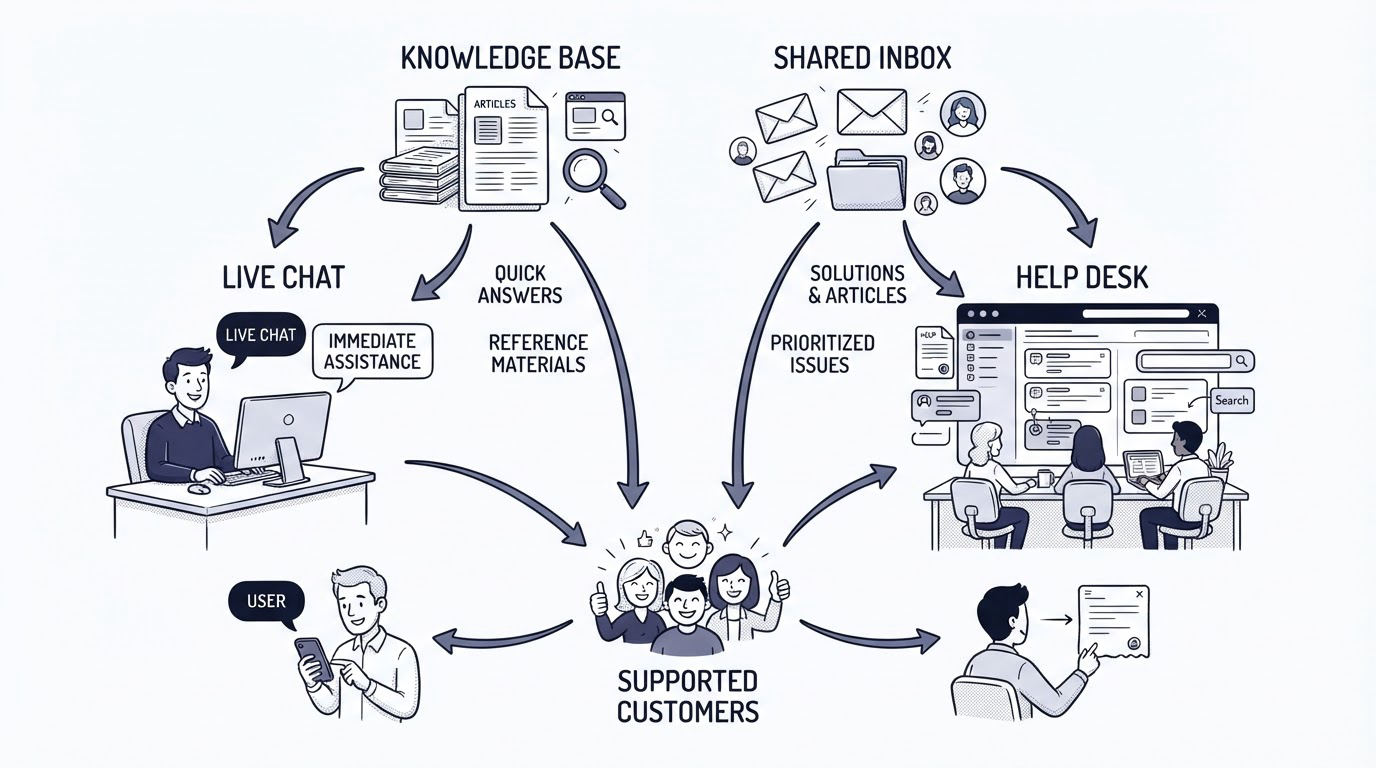
A knowledge base reduces repeat conversations by giving customers a reliable place to find instructions, product explanations, and troubleshooting steps. It works especially well for setup guides, permissions, imports, integrations, billing policies, and known limitations.
Build articles from real conversations. In the example, five chat questions about annual invoicing should lead to one concise billing article. The next agent can share it during chat, and future buyers can find it before contacting support. Start with the knowledge base structure guide for SaaS teams to organize content around customer tasks.
A shared inbox serves a different role. It gathers customer conversations into a team workspace so people can assign, comment, and hand off without forwarding emails between individual accounts. It can cover email and chat conversations where a full ticketing system would add unnecessary process.
Use a shared inbox for collaborative communication. Use a help desk workflow for complex, trackable support cases. The article on using a customer support inbox for live chat and email shows how those channels can work together.
Where Cajobo fits in a live chat vs help desk setup
Cajobo fits teams that want customer conversations, self-service content, and product feedback to inform each other. It gives a SaaS team a connected customer-facing layer around live support and learning from customer requests.
Here is how the earlier example can run inside Cajobo:
First, place Cajobo Live Chat on high-intent pages such as pricing, documentation, and onboarding. A teammate answers the annual invoice question while the visitor is active.
Next, spot recurring questions in those conversations and publish a concise answer through the Cajobo Knowledge Base. Link the article in future replies, then improve it whenever a customer asks for clarification.
Then, collect a lightweight sentiment signal after the conversation through Cajobo Feedback. A low score paired with a chat transcript can expose unclear documentation, missing product behavior, or a slow handoff.
Finally, preserve valuable product requests with their customer context. The export issue may reveal a broader request for configurable CSV columns. Support can pass that insight to product alongside the affected workflow and customer language, rather than relying on a vague internal summary. See how to collect customer feedback after a support conversation for a practical follow-up process.
Cajobo suits teams that need a coherent experience across chat, knowledge base content, and feedback collection. Teams with high-volume, highly regulated case management may also require a specialized ticketing system with deeper SLA, audit, and escalation controls.
Customer feedback can include personal data, account details, or commercially sensitive information. Define what the team collects, who can access it, and how long it is retained. The European Commission's data protection guidance outlines core GDPR principles that apply when serving people in the EU.
How to build the right support model for a small SaaS team
Start with the last 90 days of support conversations. Group them by request type, then count how many were answered in one interaction, how many required a second team, and how many repeated an existing question. This reveals the actual work your system must support.
For the three-person SaaS team, the resulting model might look like this: live chat covers pricing and onboarding during business hours; a shared inbox keeps email and chat visible to the team; complex billing and engineering issues receive structured ownership; the knowledge base covers repeated questions; feedback after support identifies product friction.
Review this model monthly. If live chats regularly turn into multi-day investigations, tighten the escalation rule. If agents keep pasting the same answer, publish or improve the relevant article. If feedback frequently mentions one missing capability, give product a tagged set of customer examples instead of a loose anecdote.
Cajobo is a strong fit when this connected flow is what your team needs. Explore the Cajobo customer support platform to see how live chat, knowledge base content, and feedback work together.
FAQ about live chat vs help desk
Can a small business use live chat without a help desk?
Yes. A small business can begin with live chat when most requests are simple and time-sensitive. Add a structured case process as billing, technical troubleshooting, and cross-team requests become more common. Establish handoff rules from day one so complex conversations retain their context.
Should live chat replace email support?
Keep email available for requests that need attachments, longer explanations, or an asynchronous response. Live chat and email serve different customer habits. A shared inbox helps the team manage both channels with consistent ownership.
What should go in a knowledge base instead of live chat?
Publish stable answers that customers need repeatedly: account setup, permissions, invoices, integrations, troubleshooting, and product terminology. Use chat transcripts to identify the wording and examples customers need.
How do I collect feedback after a customer support conversation?
Ask for a simple rating after resolution, then offer an optional comment field. Review low scores with the conversation context, tag the underlying cause, and send verified product requests into your feedback process. The guide to measuring customer satisfaction with one-tap feedback covers the setup in more detail.
Does every support request need a ticket?
Create a tracked case when the request needs an owner, future updates, cross-team work, or a durable record. Resolve short, self-contained questions through chat or a shared inbox, then turn repeated questions into knowledge base content.
Choose live chat for immediate assistance, a help desk workflow for accountable case management, a knowledge base for repeatable self-service, and a shared inbox for team visibility across conversations. Bring those customer-facing pieces together in Cajobo when support conversations and product feedback need to inform the same customer experience.