
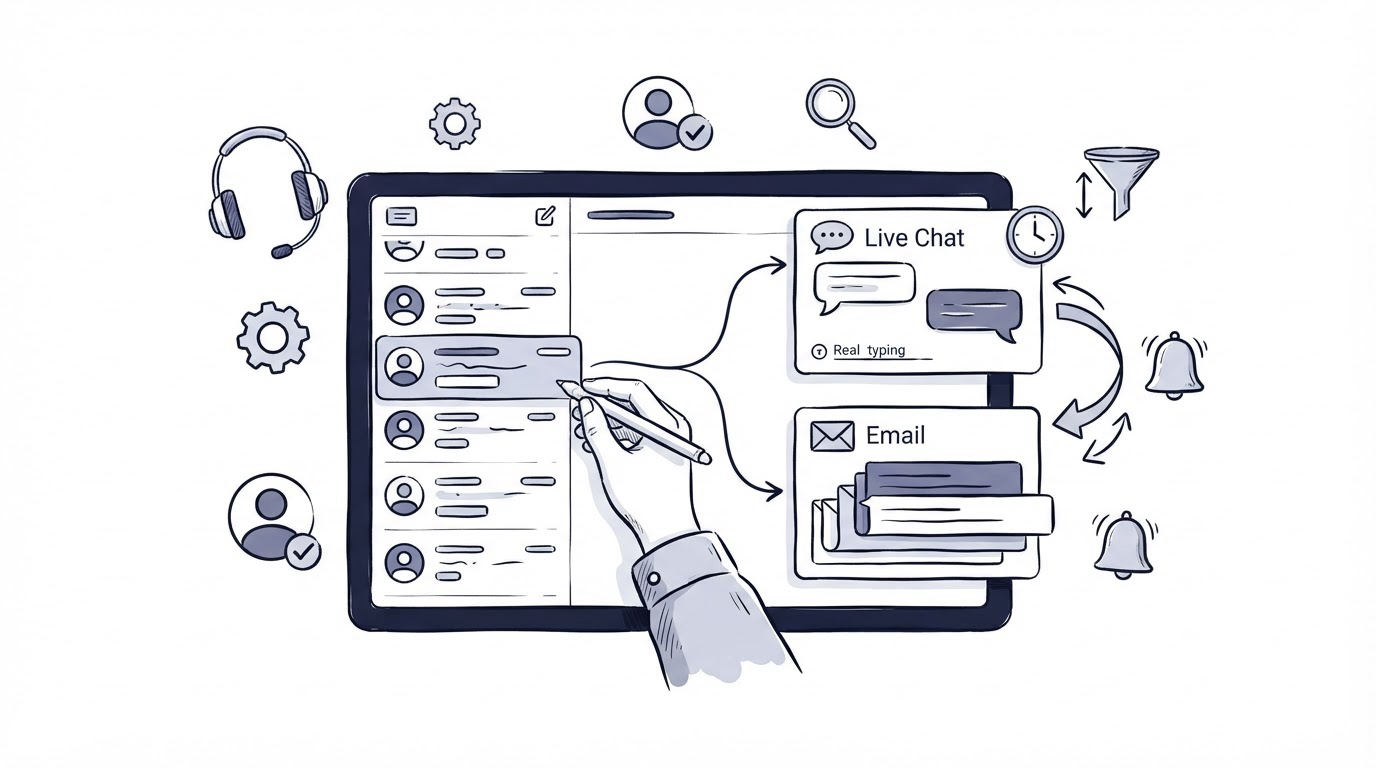
A customer writes through your site chat about a failed payment, then sends an email when the chat closes. Two teammates answer from separate tools, each missing part of the story. Small teams lose time this way, and customers receive fragmented support.
A customer support inbox gives every incoming chat and email a shared place, a visible owner, and a clear next action. Cajobo helps teams combine live chat, knowledge base content, and feedback work so support conversations can stay organized as the team grows.
Quick answer: how to set up a customer support inbox
Use this workflow to centralize live chat and email requests:
- Connect your support email address and website chat so both channels enter one queue.
- Set status labels and assign one accountable teammate to every open conversation.
- Create priority rules for billing, access, bug, and sales-adjacent requests.
- Keep replies, internal notes, and relevant help articles attached to the same conversation.
- Review response time, unresolved items, and recurring questions every week.
Set up your customer support inbox with both channels
Start with the two places customers already use most: your support email address and the chat widget on your website. Route both into the same workspace before adding more channels. A compact queue is easier to operate consistently than several half-monitored ones.
Use a recognizable address such as support@yourdomain.com, then publish one chat entry point on pages where visitors need help. Pricing, account, onboarding, and integration pages often generate the most time-sensitive conversations. Place chat where it can help a person complete the task already in front of them.
Email requires a deliberate handoff. Set forwarding or a direct mailbox connection, send a test message from an external address, and reply from the inbox. Check the sender name, reply address, and conversation threading before launch. Email messages follow defined header conventions, including reply-routing fields described in RFC 5322, so a real test catches configuration errors early.
For teams that currently use Google Groups, Google documents how a Collaborative Inbox lets members assign and mark conversations complete in its Collaborative Inbox setup guide. That can provide a temporary shared process, although a support-focused inbox gives chat and email one operating view.
Worked example: one customer, two channels
Consider Meterwise, a two-person SaaS team that sells reporting software. A visitor on /pricing opens chat and asks why the export button is disabled. The support email address receives a message from the same person ten minutes later, this time with a screenshot and an urgent renewal question.
Before centralization, Maya handles chat while Jordan sees the email. Maya tells the visitor to contact billing. Jordan investigates the export issue without knowing chat already identified the plan tier. The customer repeats the problem twice.
With both channels in a customer support inbox, the team can see that the requests concern one account and route the email to the person already handling the access question. The answer can cover the plan limitation, export steps, and renewal path in one response.
Assign ownership in the customer support inbox
A shared queue needs a simple rule: every open conversation has one named owner. The owner can ask for help, pass the conversation to a specialist, or add an internal note. They remain responsible for moving it forward until a transfer is accepted.
Avoid vague ownership such as “the team will watch the inbox.” That approach leaves requests sitting in an open state when everyone assumes somebody else will reply. Assign the first responder automatically by availability, rotation, or request type. For a two-person team, a daily first-responder rotation works well.
Use statuses that describe the current work stage. “Open” means a reply or decision is needed. “Waiting on customer” means the next move belongs to the customer. “Waiting internally” signals a dependency, such as an engineering check. “Resolved” closes the loop after the customer has the answer or the task has a documented next step.
| Request type | First owner | Target first action | Escalation path |
|---|---|---|---|
| Account access or password issue | Support responder | Verify account details and send access steps | Product owner for account defects |
| Billing or renewal question | Support responder | Confirm plan and payment context | Billing owner |
| Reproducible product bug | Support responder | Gather URL, steps, browser, and screenshot | Engineering contact |
| Pre-purchase setup question | Support responder | Answer directly or qualify the use case | Sales or founder |
| Feature request | Support responder | Capture the underlying outcome and use case | Product review queue |
At Meterwise, Jordan owns billing and renewals. Maya owns product questions during her rotation. When a request crosses both areas, Maya keeps ownership and tags Jordan for the renewal detail. One customer receives one coherent response.
For a deeper look at queue structure and handoffs, see how shared inbox software improves customer support response times.
Create priorities for live chat and email requests
Treat urgency as an operational decision, not a guess based on which channel made the loudest sound. A live chat about account access can require immediate attention. An email with a detailed feature question may be suitable for a later, thoughtful reply.
Build a small set of priority rules around customer impact. Access loss, failed payments, security concerns, and service interruptions should reach the top of the queue. A request for product guidance can follow your normal response target. Feature ideas belong in a product-feedback process once the customer has received an acknowledgement.
Keep the rules visible beside the inbox. Every teammate should make the same initial decision when they see the same kind of request. This consistency prevents a high-impact email from waiting behind several routine chat questions.
For Meterwise, the export issue starts as high priority because it blocks an active customer from completing a report. Maya asks for the report URL and browser, confirms the account plan, and opens an internal escalation. The renewal question stays inside the same conversation because it affects the resolution and relationship.
Response speed also depends on widget design. Read how to choose a live chat widget for a small business website before adding chat to every page. A poorly placed widget can create a larger queue without improving customer outcomes.
Keep the full customer context with each request
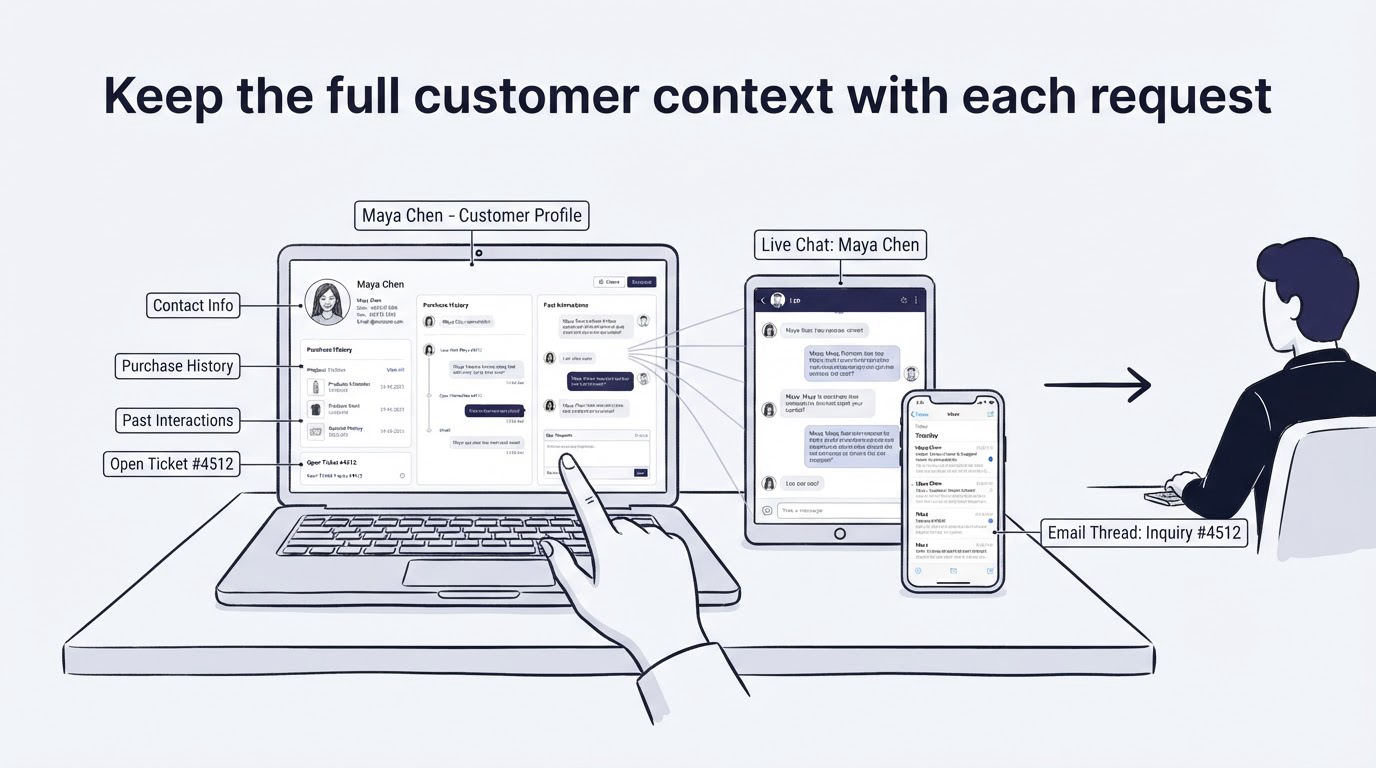
The inbox should hold the facts the next teammate needs: what the customer asked, which page or product area is involved, what has already been tried, and what response was sent. Ask focused follow-up questions early. “Which report URL are you viewing?” is more useful than “Can you send more details?”
Write internal notes for handoffs, decisions, and promises. Keep customer-facing language out of those notes. Then the next owner can act without rereading a long chain or asking the customer to repeat information.
Useful knowledge base articles shorten straightforward conversations. Link the customer to the specific setup steps, then stay available for the exception that the article cannot cover. A strong self-service library also reveals which topics should exit the inbox entirely. Use this guide on creating a knowledge base that reduces support tickets to identify the first articles worth publishing.
For identity-sensitive requests, require the right verification process before discussing account details. Cajobo’s identity documentation can help teams plan how they identify users in support workflows.
How Cajobo handles the shared inbox workflow
Cajobo is useful when a small team wants support work to stay connected instead of maintaining separate tools for chat, documentation, and feedback. Set up the workflow in the same sequence your team uses it each day.
First, add live chat through the Cajobo Live Chat page and direct website conversations into the support queue. Next, bring support email requests into that same operational view. The responder sees incoming work together and takes ownership before a request sits unattended.
Then use the conversation details to decide the next move. A simple product question can receive a direct answer and a relevant knowledge base link. An unclear issue can receive a follow-up question. A recurring request can be captured for product review through Cajobo Feedback, keeping the support reply separate from the internal decision about future product work.
Finally, turn repeated answers into durable self-service content in the Cajobo Knowledge Base. Meterwise could turn its export-plan explanation into a short article, link it in future chats, and keep the inbox focused on cases that need human investigation.
This workflow gives each request a route: answer, investigate, document, or feed into product planning. Teams can review those routes weekly and remove the sources of repetitive contact.
Use support signals when you grow search traffic
Organic growth can change a support queue quickly. Imagine Meterwise publishes new comparison pages and begins attracting visitors who need help evaluating integrations, pricing, and setup. Those visitors arrive with questions before they become customers, so chat transcripts and sales-adjacent emails become a useful record of the language and objections appearing on high-intent pages.
A team using a managed link building service should prepare the customer support inbox before new referring pages and search visibility send more visitors to the site. Route questions from campaign landing pages into the same queue, tag the source page or topic, and review the first few weeks of conversations. Repeated questions about a feature, migration, or plan often point to missing page copy or documentation.
For teams that want outside help building relevant search visibility, Backlinks Autopilot’s managed link building service is a resource for done for you link building and manual backlink building work. Keep ownership of the landing pages and support follow-up internally. The link-building provider can support acquisition work, while the support team uses real conversation data to improve the pages visitors reach.
At Meterwise, several conversations from an integration-focused page ask whether exports work with a specific plan. The team updates the page, adds a knowledge base article, and keeps the chat response ready for edge cases. Traffic growth then creates fewer repetitive tickets.
Common customer support inbox mistakes
The most common failure is connecting channels without defining who watches the queue. Requests become visible to everyone and owned by nobody. Set a daily owner schedule before the first customer message arrives.
Another failure appears when teams close a chat as soon as they send a link. Keep the conversation active until the customer confirms the article solved the issue or the next action is clear. A link can be useful, yet a customer may still need account-specific help.
Teams also create too many tags. Begin with a handful tied to decisions: billing, access, bug, pre-sale, and product feedback. Add a new tag only when it changes routing, reporting, or documentation work.
Review your workflow each week. Export or inspect the last seven days of conversations, find the oldest unresolved item, and ask why it stayed open. That single review often exposes a missing owner, unclear escalation path, or absent help article.
FAQ about customer support inboxes
Can a small team use one inbox for live chat and email?
Yes. A shared customer support inbox is especially useful for a small team because it makes workload and ownership visible. Start with email and website chat, then add channels only when someone can actively manage them.
How quickly should we answer live chat and email?
Set a response target based on request type and working hours. Access and billing blockers deserve the fastest handling. Publish expected availability in the chat widget and email auto-reply so customers know when to expect help.
Should feature requests stay in the support inbox?
Keep the original conversation in the inbox until the customer receives an acknowledgement or answer. Capture the underlying request in a feedback workflow afterward, including the customer’s goal, context, and any workaround discussed. Customer feedback widgets can help collect ideas outside active support conversations.
What should we track in a customer support inbox?
Track open conversations, time to first reply, time to resolution, handoffs, and recurring contact reasons. Pair those measures with a weekly review of the questions creating the most back-and-forth. The best next improvement is often a clearer product message, help article, or ownership rule.
Set up the shared queue, give every conversation an owner, and test the workflow with real chat and email messages. Once the team can consistently answer, investigate, and close requests from one place, the inbox becomes a dependable part of customer operations.