
A chat bubble promises a person will respond. When it sits open during a busy sales call, lunch break, or weekend with no clear expectation, customers are left waiting and the team inherits a backlog.
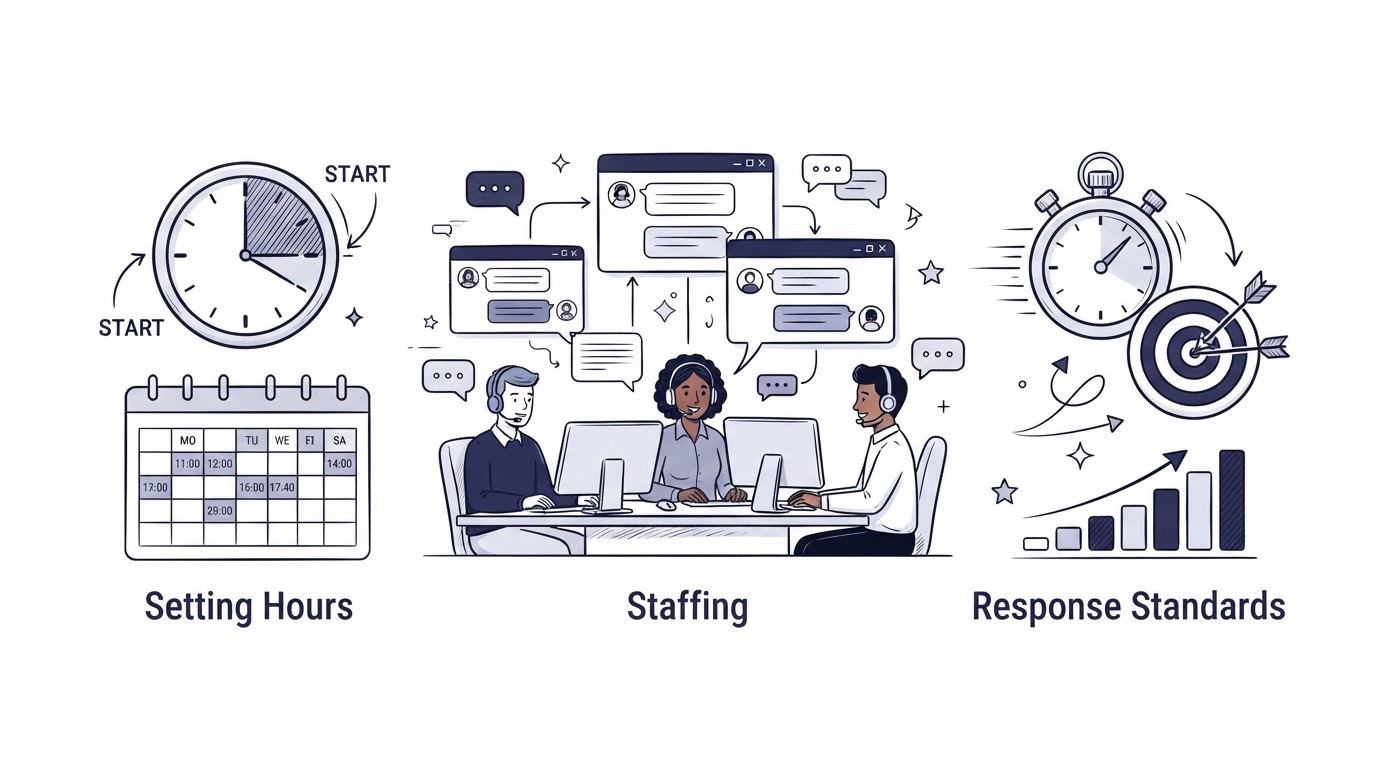
For live chat for small business, start with the hours your team can reliably cover, give every conversation one clear owner, and define response targets and reply patterns before launch. Cajobo supports this approach by keeping live chat, help content, and feedback close together, so a small team can answer faster with less searching.
Quick answer: how to run live chat for a small business
- Review the last 30 to 90 days of customer messages and website activity to choose high-value coverage hours.
- Publish those chat hours in the widget and set a clear away message for every other period.
- Assign a primary owner and a backup owner for each live shift.
- Set first-response and resolution targets by message type.
- Create short reply templates, escalation rules, and knowledge-base links for repeated questions.
- Review unanswered chats, response times, and recurring questions every week, then adjust coverage.
Choose live chat hours your small business can keep
A small business rarely needs round-the-clock chat on day one. Coverage should follow customer demand, commercial value, and staff availability.
Export recent chat transcripts, contact-form submissions, and support emails first. Sort them by day, hour, topic, and customer stage. Add website analytics for high-intent pages such as pricing, booking, checkout, trial signup, and account setup. This reveals the periods where a quick answer can help a customer progress.
Consider a five-person B2B appointment-scheduling company. Its highest-value pages are /pricing, /start-trial, and /integrations. Over four weeks, the team sees the largest volume of pre-sales questions from 10:00 a.m. to 4:00 p.m. Eastern Time, Monday through Thursday. Support questions peak between 1:00 p.m. and 3:00 p.m., when customers are configuring calendars.
The company launches chat from 10:00 a.m. to 4:00 p.m. ET, Monday through Thursday, plus 10:00 a.m. to 1:00 p.m. Friday. Those hours match actual demand and leave the team capacity for product work, onboarding, and email.
| Signal | What it tells you | Coverage decision |
|---|---|---|
| Questions on pricing or trial pages | Visitors may need a timely sales answer | Cover the weekday periods with the most visits to those pages |
| Setup questions from active customers | A short answer can prevent stalled adoption | Add coverage around common onboarding hours |
| Repeated overnight messages | Customers need acknowledgement and a next step | Use an away message, email capture, and next-business-day follow-up |
| Few chats during a time block | Live coverage has limited value during that period | Reduce or remove the shift and monitor for change |
| One person repeatedly misses chats | Coverage depends on an unavailable single owner | Add a backup or narrow published hours |
Keep the first schedule for two weeks, then review it. The scheduling company found that Friday chats rarely became trials, so it closed Friday live coverage and used a clear offline workflow instead. That choice protected team focus without leaving visitors uncertain.
Make the offline experience useful
When chat is closed, say when the customer can expect a reply and give them a path for urgent or self-service needs. “Our team is back Monday at 10:00 a.m. ET. Leave your question and email, and we will reply by the next business day” sets a concrete expectation.
Add links to the few help articles that solve the most common issues. A well-structured knowledge base reduces routine conversations and gives customers an answer outside chat hours. For a practical content plan, see how to create a knowledge base that reduces support tickets.
Use an email field in the offline form. A visitor who closes the browser still receives a response, and the conversation arrives with enough context for the owner to continue it.
Staff live chat for small business without overloading the team
Chat coverage works best as a scheduled responsibility, rather than a background task shared by everyone. A single named person watches the inbox during a shift. A second person takes over during breaks, meetings, or high volume.
For the appointment-scheduling company, Maya from customer success owns Monday and Wednesday chat. Devon from sales owns Tuesday and Thursday chat, since many questions involve plans and fit. Each person has a backup named in the team calendar. The backup opens the inbox before the shift begins and is available when the primary owner flags a conflict.
Define ownership at the conversation level too. The first responder becomes the owner unless they explicitly reassign it. This stops two people from drafting competing answers and prevents a conversation from sitting idle because each teammate assumes somebody else will handle it.
Use a simple routing rule set:
- Sales owns plan, contract, trial, and procurement questions.
- Customer success owns setup, training, and account-use questions.
- Product or engineering receives reproducible defects with account details, steps, and screenshots.
- Billing receives payment, invoice, and subscription questions.
- The chat owner stays accountable for updating the customer after an internal handoff.
The final rule is especially useful. An internal teammate may need several hours to investigate. The original owner should tell the customer that the issue is being checked, state the next update time, and return with the result.
A shared inbox makes that ownership visible across the team. Read how a customer support inbox handles live chat and email before deciding how conversations should move between channels.
Set response standards customers can understand
A response standard has three parts: an acknowledgement target, an update cadence, and a resolution path. Put each part in writing. “Reply quickly” leaves too much to individual judgment.
For the example company, a reasonable starting standard could be a first human response within 10 business minutes during chat hours. Straightforward questions, such as whether Google Calendar syncs, should receive an answer in the same conversation. Account-specific issues receive an acknowledgement, the next update time, and a route to the correct specialist.
Avoid promising an instant answer if the team is frequently in calls or needs time to investigate. A target that the team meets consistently builds more trust than an ambitious number that fails every afternoon.
Use reply patterns that still sound human
Prepare templates for the questions that recur every week, then require staff to personalize the opening and check facts before sending. A usable reply pattern includes the answer, the relevant next action, and a link where appropriate.
For example, a customer asks, “Can I invite a second administrator?” The chat owner can answer: “Yes. Go to Settings, select Team, then choose Invite member. This guide shows each permission level: [link]. If you tell me the role they need, I can suggest the right access level.”
The first version of this reply at the scheduling company caused confusion because it linked to a broad getting-started article. The team replaced it with a direct permissions article and added the role question. Fewer follow-up messages were needed.
Maintain a small internal response guide with:
- Current product facts and approved links
- Tone guidance and greetings
- Escalation contacts by issue type
- Information required before escalating a bug
- A next-update promise for unresolved cases
For accessibility, keep status messages clear and avoid widget behavior that disrupts keyboard or screen-reader users. The W3C WCAG guidance on consistent help supports placing help options in a predictable location, while MDN’s ARIA live region guidance explains how dynamic updates can be announced to assistive technology.
Track the live chat measures that improve coverage
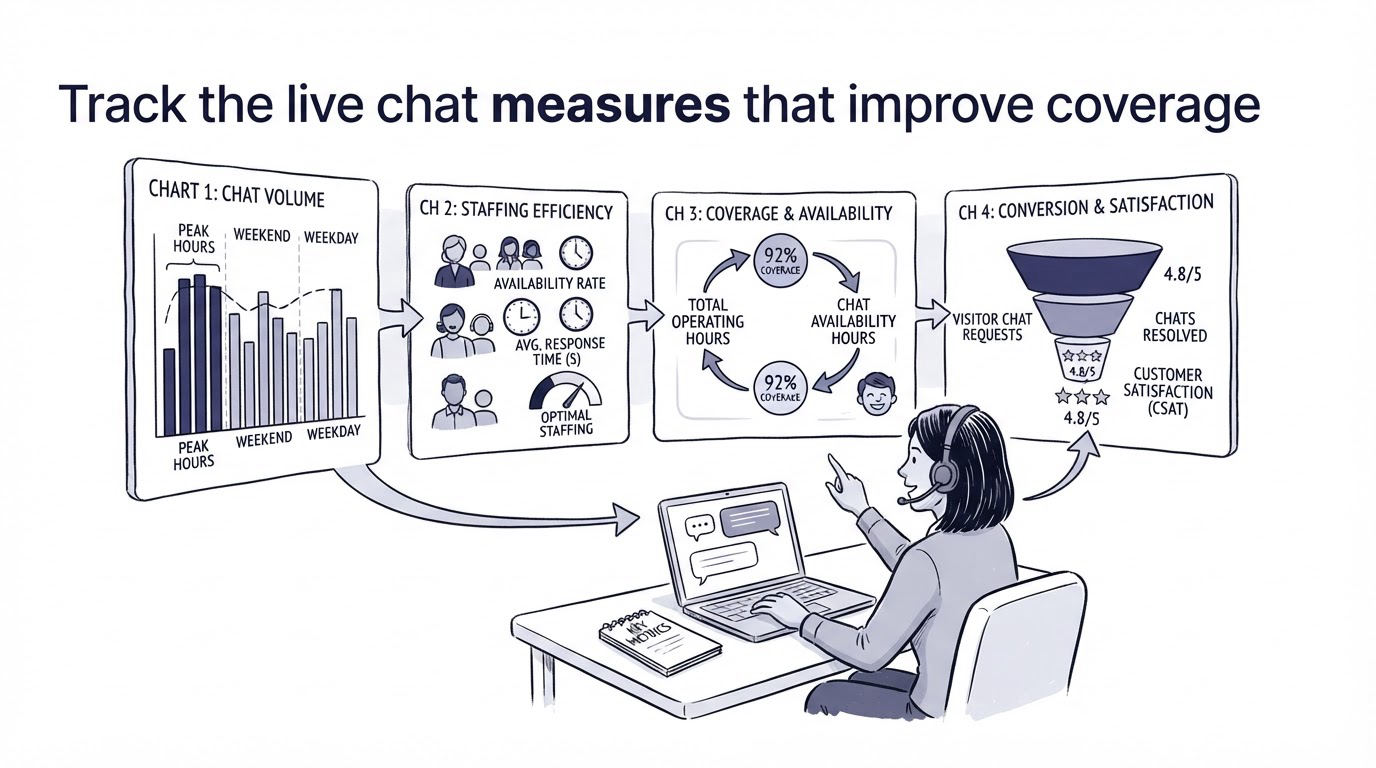
Small teams can learn a great deal from a weekly 20-minute review. Pull the conversations from the prior week and examine a few operational measures together: first-response time during posted hours, conversations that received no reply, time to final resolution, transfers between owners, and the top repeated question.
Read transcripts behind the outliers. A slow response may show a calendar conflict. A long resolution may expose an unclear handoff. Five chats asking where to find invoices may point to a missing help article or a confusing account label.
The scheduling company found that many chats began with “Where can I change my plan?” Chat staff gave the right answer, yet customers kept asking. The team added a direct billing-settings article, linked it from the account menu, and added it to the offline chat prompt. The recurring chat topic became easier to resolve and the product experience improved.
Invite customers to rate the conversation after it closes, especially once the team has stable coverage. A simple rating captures whether an answer was useful, while a follow-up comment gives context. How to measure customer satisfaction with one-tap feedback explains how to collect and review this feedback without adding friction.
Run live chat, help content, and feedback in Cajobo
A separate chat tool, help center, and feedback form can work for a small company. The operational cost rises when agents switch tools to find an answer, tag a product request, or locate the conversation history.
Cajobo brings the key workflow into one support environment. Here is how the example company could run its process:
- Configure the Cajobo Live Chat experience with its published weekday hours and offline contact prompt.
- Assign the active conversation to Maya or Devon in the shared support flow, then transfer it with context whenever billing or product input is required.
- Insert a relevant help article from the Knowledge Base when the answer is documented, keeping the conversation focused on the customer’s specific situation.
- Capture feature requests and product friction through Feedback, rather than leaving valuable requests buried in a transcript.
- Review the recurring requests and questions to decide which help article, product change, or response template needs attention next.
This setup gives chat owners a practical sequence: answer the current question, provide self-service material, preserve product input, and improve the source of future answers. Teams evaluating tools can use this guide to choosing a live chat widget for a small business website to compare the operational details that shape daily support work.
Common live chat mistakes for small businesses
The most damaging issue is publishing chat availability that the team cannot sustain. Customers plan around the signal your site gives them. Start smaller and expand when response data supports it.
Another frequent problem is treating chat as a sales-only channel. Existing customers bring setup and account questions that can determine retention. Give those conversations a route to someone who can solve them.
Avoid using templates as automatic final answers. Templates speed up the routine portion of a reply. A staff member still needs to read the question, verify account context, and decide whether the article truly applies.
Finally, keep a record of product feedback from chat. A comment such as “I expected to find this in the dashboard” may describe a documentation gap, an interface problem, or a valuable feature request. Send it to a structured feedback process and review patterns over time. Customer feedback widgets can help collect useful website feedback beyond the conversations your team happens to receive in chat.
FAQ about live chat for small business
What are the best live chat hours for a small business?
Use the hours when high-intent visitors and customers most often need help, provided a named team member can cover them. Start with a limited weekday schedule, publish it clearly, and revise it after two weeks of conversation data.
How many people do I need to staff live chat?
One active owner and one backup can support a focused initial schedule. Add coverage when chat volume, missed responses, or shift conflicts show that the owner cannot meet the response target.
What is a good first-response time for small-business live chat?
Choose a target your staff can meet during every published shift. Ten business minutes is a practical starting point for many small teams, though a team that regularly needs account research may set a longer target and state it clearly.
Should chat stay open after business hours?
Keep the widget available if it can collect a question and email address, explain the reply window, and point customers to relevant help content. Present the status clearly so visitors know they are leaving a message rather than starting a live conversation.
When should a live chat conversation move to email?
Move to email when the issue needs lengthy investigation, secure account information, screenshots, files, or coordination across several people. Tell the customer who owns the follow-up and when they will receive the next update.
Set your first coverage schedule, assign primary and backup owners, and test the workflow with real questions for two weeks. Once replies are consistent, use Cajobo to connect live conversations with help content and customer feedback in the same support process.