
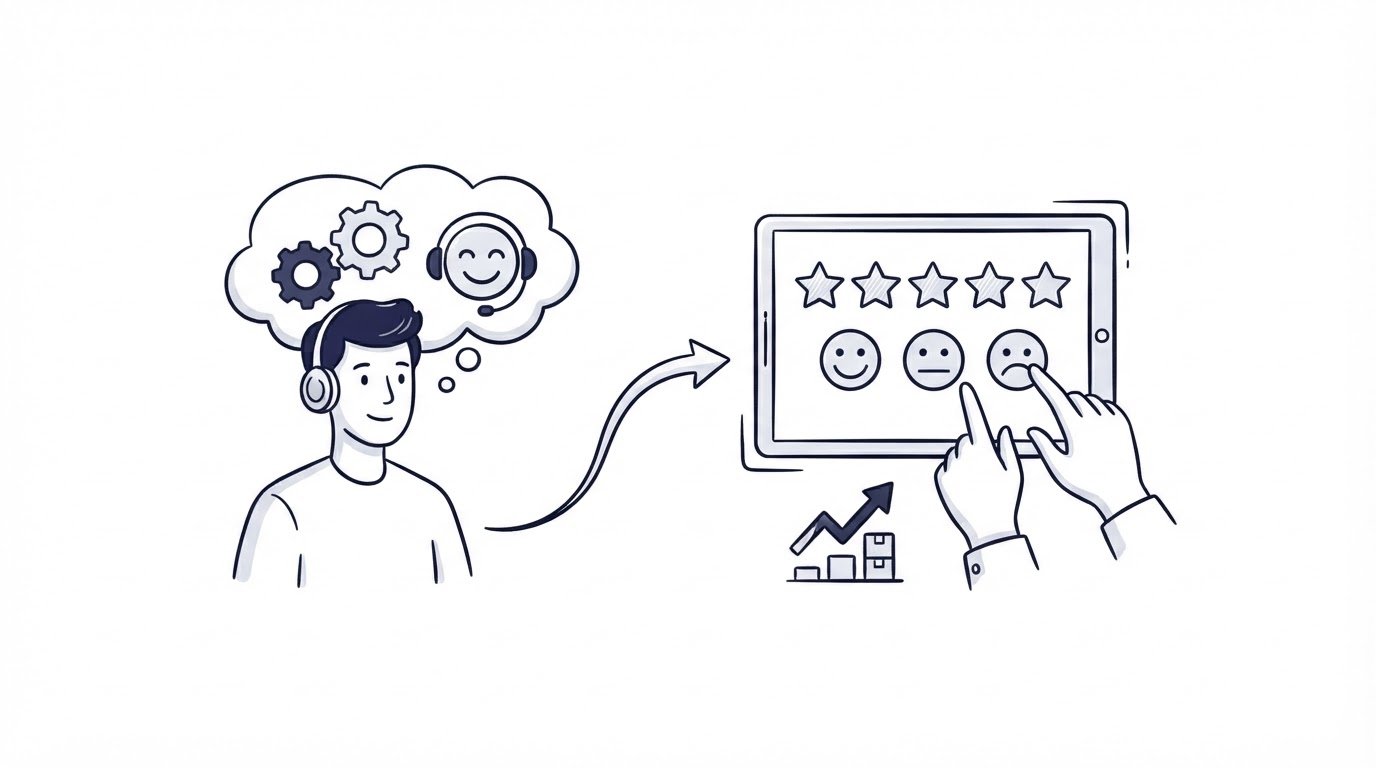
A customer receives help in chat, the conversation closes, and the only record is a solved ticket. That moment can reveal whether the answer was clear, whether the issue points to a product gap, and whether the customer needs further help.
A customer feedback collection tool gives support teams a repeatable way to capture that signal while the conversation is fresh. Cajobo is especially useful when feedback needs to travel from customer support into product decisions, a public roadmap, and customer-facing updates.
Quick answer: how to collect feedback after support
Use this workflow after every eligible chat or email conversation:
- Define a resolved-conversation trigger and exclude open, escalated, or sensitive cases.
- Send the request as soon as the customer has had time to test the answer, usually at conversation close or shortly afterward.
- Ask one satisfaction question first, then show one optional follow-up question based on the score.
- Attach support context such as channel, topic, agent, account, and conversation link.
- Route low scores to support, recurring requests to product, and documentation gaps to the knowledge base owner.
- Close the loop with the customer when their issue, request, or suggested improvement receives action.
Choose the right moment for customer feedback after support
Timing determines whether a response reflects the support experience or the product outcome. Send a survey before resolution and the customer is still busy trying to finish the task. Wait several days and the details fade.
For most conversations, use the moment the agent marks the request resolved. Add a short delay when the customer must test a fix, receive a password-reset email, wait for an export, or complete an account change. In those cases, request feedback after the promised outcome should be available.
A practical setup uses different triggers by issue type:
| Support situation | When to ask | First question | Primary destination | Owner |
|---|---|---|---|---|
| Simple live chat answer | At chat close | “Did this answer solve your problem?” | Support quality view | Support lead |
| Troubleshooting or bug workaround | 24 hours after resolution | “Are you able to complete the task now?” | Support and engineering queue | Support lead |
| Feature request raised in email | After the agent acknowledges the request | “How important is this workflow to you?” | Feedback board | Product manager |
| Knowledge base article sent | At article completion or ticket close | “Did this article help you complete the task?” | Documentation queue | Knowledge base owner |
Keep feedback requests out of high-stress conversations. Billing disputes, security incidents, account recovery, legal requests, and unresolved outages need a human follow-up process first. Mark these topics in your inbox so automation skips them.
A worked example: a missing export option
Consider Maya, an operations manager at a SaaS company. She writes to support because she cannot export filtered records from /reports. An agent explains that the export uses the filters already applied to the view and sends a help article. Maya confirms that her CSV downloaded successfully.
The conversation qualifies for a feedback request because the task has a clear outcome. The request goes out 30 minutes after the chat closes with: “Did you get the report you needed?” Maya chooses “Partly” and adds: “I needed scheduled exports for a weekly review.”
That comment contains two different signals. The agent’s explanation may need review if filters were hard to find. Scheduled exports are also a feature request. A good collection workflow preserves both pieces instead of filing the entire response as a low satisfaction score.
Ask simple questions in your customer feedback collection tool
Start with one question that matches the decision you plan to make. A smiley-face rating can measure the immediate support experience. A resolution question tells you whether the customer completed their goal. A free-text field exposes the details behind either answer.
For post-support feedback, use this sequence:
- Outcome question: “Did you get the help you needed?”
- Conditional follow-up: “What could we improve?” when the customer selects a neutral or negative response.
- Contextual product question: “What were you trying to accomplish?” when the comment suggests a feature gap.
Limit the initial request to the first question. Customers are far more likely to respond when they can answer in one tap. The follow-up field should remain optional, while its prompt should give the customer a useful starting point.
Avoid vague questions such as “How was your experience?” They combine agent behavior, product usability, price concerns, and the customer’s original frustration into one score. Ask about the support interaction or the completed task, then use the comment to identify the underlying cause.
For emoji or icon-based surveys, give every choice a visible text label and a programmatic label. The W3C guidance on labels in forms explains why clear labels support screen reader users and reduce ambiguity for everyone.
Read more about score design in How to Measure Customer Satisfaction With One-Tap Feedback, including when to use a satisfaction rating versus a direct resolution question.
Add the support context that makes feedback actionable
A score with no context creates a manual investigation job. Your customer feedback collection tool should keep enough detail for the assigned person to understand the event quickly.
Attach the conversation URL or ID, channel, ticket topic, date, agent, customer account, plan or segment where appropriate, and the relevant product area. For Maya’s report-export comment, the product area is reporting and the conversation link leads directly to the original exchange.
Use tags that describe the work needed, rather than tags that merely describe the emotion. Tags such as docs-gap, bug-suspected, feature-request, training-needed, and agent-coaching give each team a route for action. One response can hold more than one tag.
Collect only data that serves the follow-up workflow. The European Commission describes data minimization and purpose limitation as core data-protection principles in its overview of EU data protection rules. Set a retention period for survey comments and restrict access to sensitive conversation details.
Route support feedback to the right team
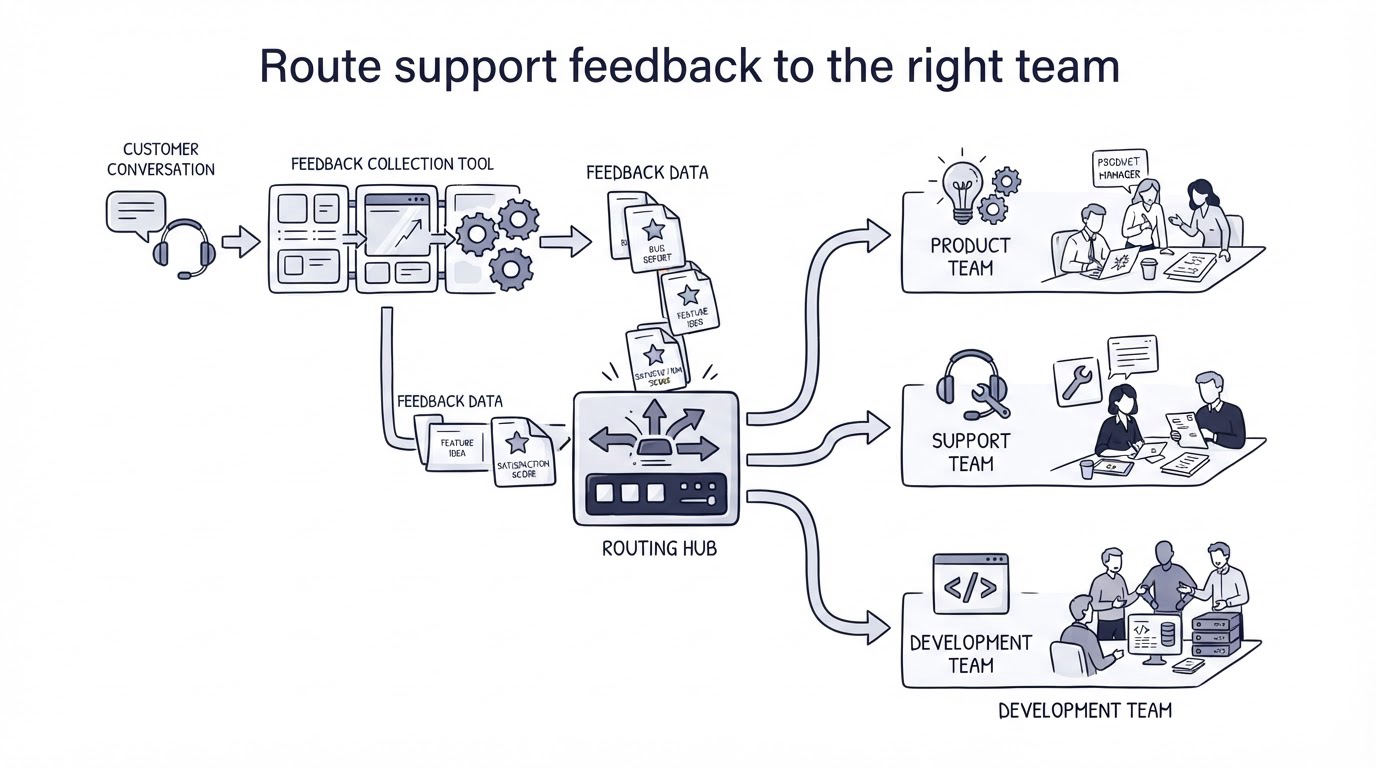
Routing begins with the meaning of the response, not the channel it came from. Support owns service recovery. Product owns validated product needs. Documentation owns discoverability and clarity. Engineering evaluates defects with reproducible evidence.
For Maya’s response, the support lead reviews the original chat to confirm whether the agent showed where export filters appear. The product manager adds scheduled exports to the feedback board, grouping Maya’s request with similar requests. The documentation owner may add a clearer export example to the related help article.
Set response targets by route. A low satisfaction response could require a support review within one business day. A suspected bug could need a reproduction attempt before it enters engineering triage. A feature request should be grouped with duplicate requests before the product team estimates effort.
This routing structure prevents a common failure mode: feedback sitting in a survey dashboard where nobody owns the next action. Give every route one accountable role and a clear first task.
For teams handling both chat and email, a customer support inbox for live chat and email keeps the original thread accessible when a survey comment needs investigation. Use shared tags and conversation ownership so a customer never has to repeat their issue.
Use Cajobo to connect support feedback with product decisions
A standalone survey creates another place to check. Cajobo supports a connected workflow for teams that want the customer conversation and the resulting product signal to remain useful after the ticket closes.
Start in Cajobo Live Chat or your support inbox and identify conversations that reached a clear resolution. Send a short feedback prompt through the same channel where the customer received help, or include it in the resolution email.
Next, capture a comment in Cajobo Feedback when the response describes a request, pain point, or workflow obstacle. Add the original support conversation as internal context and group matching requests under one customer-facing item. This gives product managers a cleaner view of demand than a long list of near-duplicate comments.
Then move validated items into the product planning process. The workflow is covered in more depth in How to Use a Public Product Roadmap to Turn Customer Feedback Into Better Product Decisions. When scheduled exports becomes a planned improvement, customers who raised the request have a clear place to follow its progress.
Finally, publish the outcome through your changelog when the work ships. The support team can reply to Maya with the update, while future customers can find the change without opening a ticket. See how to write product updates customers will read for the structure behind a useful release note.
This connected path gives support feedback a destination: service recovery, documentation improvement, product discovery, or a delivered update.
Review trends without losing individual customer follow-up
Review feedback at two levels. Daily or weekly triage handles individual poor experiences and urgent issues. A monthly review identifies recurring friction across a larger set of conversations.
At the monthly review, group comments by customer goal and product area. “Could not export filtered reports,” “need weekly exports,” and “manual CSV every Monday” all point to reporting workflows. Their scores may differ, yet their shared job is preparing recurring reports.
Compare those grouped themes with support volume. A small number of strongly worded requests from strategic accounts can deserve product research. A high-volume documentation issue may call for a rewritten article, an in-product hint, or agent macros before a feature project.
Track the operational measures that guide action:
- Resolution feedback by channel and issue type
- Volume of comments requiring support recovery
- Repeated product requests grouped under a single item
- Knowledge base articles linked to poor-resolution responses
- Time from feedback submission to first human review
Avoid treating a single average score as the entire story. Comments, routes, and customer context explain where the score came from and what the team should do next.
Common mistakes when collecting feedback after support
Sending the same generic survey after every contact creates survey fatigue. Restrict requests to resolved, meaningful conversations and cap how often each customer sees a prompt.
Another frequent problem is asking agents to classify every piece of feedback manually during a busy shift. Give agents a small set of tags and let a support lead or product operations owner review ambiguous submissions in batches.
Teams also lose trust when customers share an idea and hear nothing afterward. A personal reply is appropriate for urgent dissatisfaction. For product requests, acknowledgment, roadmap status, and changelog updates show that the comment entered a real decision process.
Support conversations also expose knowledge gaps. When the same explanatory answer appears repeatedly, update the relevant article in your knowledge base and use the article in future replies. That reduces repeat contacts while improving self-service.
FAQ
How soon should I send a customer feedback survey after live chat?
Send it at chat close for straightforward answers. Use a short delay when the customer needs time to verify a fix or complete the task. The right trigger follows the moment when the customer can judge the outcome.
What is the best question to ask after customer support?
“Did you get the help you needed?” works well because it measures the customer’s outcome in plain language. Add an optional “What could we improve?” field for detail, especially after a neutral or negative rating.
Should every support conversation get a feedback request?
Use eligibility rules. Resolved conversations with a clear outcome are strong candidates. Exclude open issues, escalations, sensitive cases, and customers who have recently received another survey request.
Who should review negative customer feedback?
The support lead should own the first review because they can assess the conversation and arrange recovery. Route confirmed bugs to engineering, repeated product needs to product, and confusing instructions to the documentation owner.
Can support feedback help prioritize product requests?
Yes. Link the feedback to the customer’s job, product area, and original conversation. Group similar requests before prioritization, then consider demand, affected accounts, strategic fit, and implementation effort together.
A customer feedback collection tool earns its place when every response has a next step. Set the trigger, keep the question short, preserve the support context, and assign the insight to a team that can act on it. Explore Cajobo Feedback if you want feedback, support conversations, roadmaps, and release updates to work as one process.