
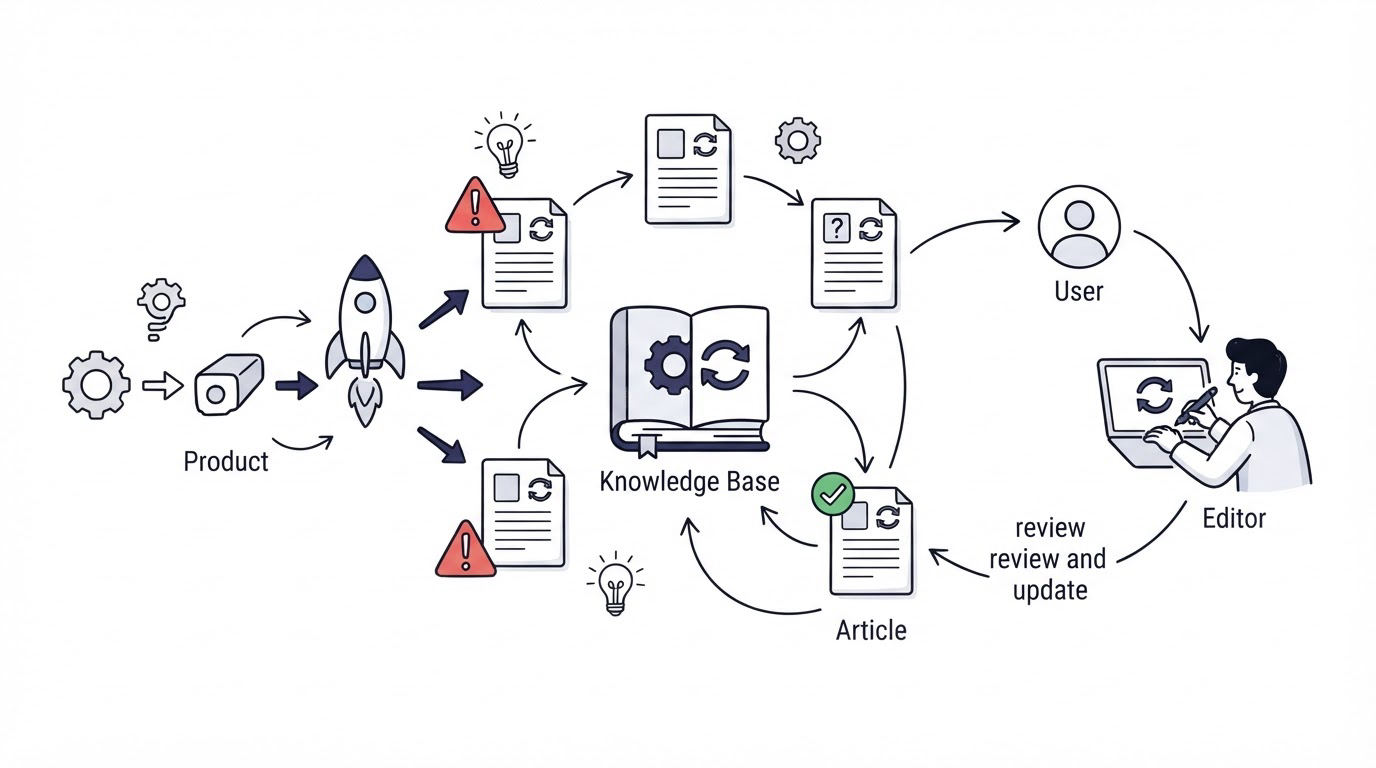
A release ships, a menu label changes, and an old setup article keeps sending customers to a screen that no longer exists. Support agents then spend time correcting instructions one conversation at a time.
Knowledge base software needs an operating process behind it: a named owner, triggers tied to product changes, a documented review record, and clear rules for retiring content. Cajobo gives teams a central place to publish customer-facing help, while the process below keeps that help dependable.
Quick answer: how to keep knowledge base articles accurate
Use this workflow for every customer-facing article:
- Assign one accountable article owner and one backup reviewer.
- Classify each article by risk and set a review date based on that risk.
- Add documentation review to every release, policy, integration, and pricing change.
- Check steps, screenshots, links, permissions, and version labels before publishing.
- Record what changed, who approved it, and the next review date.
- Redirect, archive, or remove articles when a feature reaches retirement criteria.
Assign ownership for every knowledge base article
A support lead often owns the knowledge base as a whole. That person cannot reliably verify every technical setting, billing rule, or security instruction. Give each article an accountable subject owner who understands the feature and a support editor who checks whether the explanation works for a customer.
Use a simple ownership record in your content tracker. Keep it near the draft or in the article's internal notes. The useful fields are owner, backup, last verified date, next review date, product area, and risk level.
For example, consider a fictional SaaS product called Northstar Metrics. Its article at /help/connect-stripe explains how customers connect Stripe through Settings > Integrations. The payments product manager owns factual accuracy. A support specialist owns the customer workflow, including common authorization errors. An engineer confirms the API scopes when they change.
This division prevents a common failure mode: support updates a screenshot after a release while leaving an outdated permission requirement in step three.
Set a service expectation for owners. A high-risk article should receive a response to a review request within two business days. High-risk content includes billing, authentication, data exports, permissions, security, and irreversible actions. A stale typo causes friction. Stale access-control instructions can cause a serious support and trust problem.
For a broader foundation, use this guide on how to create a knowledge base to define categories, audience, and article formats before assigning owners.
Set knowledge base software update triggers
Calendar reviews help, yet product events catch the changes that matter most. Add documentation review as a required item in the same release checklist used by product, engineering, and support.
For Northstar Metrics, the Stripe connection moves from Settings > Integrations to Billing > Connected Accounts. The release ticket should identify /help/connect-stripe, its troubleshooting article, its onboarding email link, and any saved support replies that use the old path. Give the documentation update a status and an owner before the release is marked complete.
Use these triggers to open an article review task:
- A UI label, navigation path, or default setting changes
- A feature launches, enters beta, changes access rules, or reaches end of life
- A billing, refund, privacy, security, or compliance policy changes
- Support sees repeated confusion, workarounds, or failed searches
- An integration provider changes authentication, permissions, or setup steps
- A broken link, failed instruction, or outdated screenshot is reported
Product changelogs are especially useful triggers. A customer-visible release note should point to refreshed setup instructions whenever customers need to take action. Read how to write product updates customers will read for a practical way to connect release communication with support content.
Schedule recurring reviews as a safety net. A reasonable starting cadence is every 30 days for high-risk articles, every 90 days for active feature guides, and every 180 days for stable conceptual content. Change the cadence after you have evidence from tickets, search terms, and release frequency.
Run a version check before you publish an update
A version check confirms that every instruction matches the current product experience. Treat this as a short acceptance test, completed by someone other than the article author when the topic carries meaningful customer risk.
Start with the customer state described in the article. For the Northstar Metrics Stripe guide, create a test workspace with the same plan, role, and integration status required by a new customer. Follow the article from the first click to the success state. Capture fresh screenshots only after the full workflow succeeds.
| Check area | What to verify | Northstar Metrics example |
|---|---|---|
| Entry point | The navigation path and page title match production | Billing > Connected Accounts appears for an account admin |
| Eligibility | Plan, role, region, or feature access requirements are accurate | Only admins can begin the Stripe authorization flow |
| Instructions | Every step produces the result described | The callback returns the customer to Connected Accounts |
| Visuals | Screenshots show the current interface and safe sample data | The old Settings sidebar screenshot is replaced |
| Links | Related articles, policies, and calls to action reach live pages | The troubleshooting link opens the current error guide |
| Version record | Editor, verifier, date, and change reason are recorded | “Verified for release 4.18 by Maya, May 14” |
Place a visible “last updated” date on articles where recency affects customer decisions. The HTML <time> element provides machine-readable dates when used correctly, as described in the W3C HTML specification. Keep the displayed date honest. A cosmetic edit should not replace the date of the last substantive verification.
Also avoid changing a published URL without a reason. Stable addresses preserve links from onboarding, support replies, search results, and product UI. When an address must change, redirect the old URL to the closest current resource. Google also recommends permanent redirects when content moves to a new location in its site move documentation.
Define when to archive or retire knowledge base articles
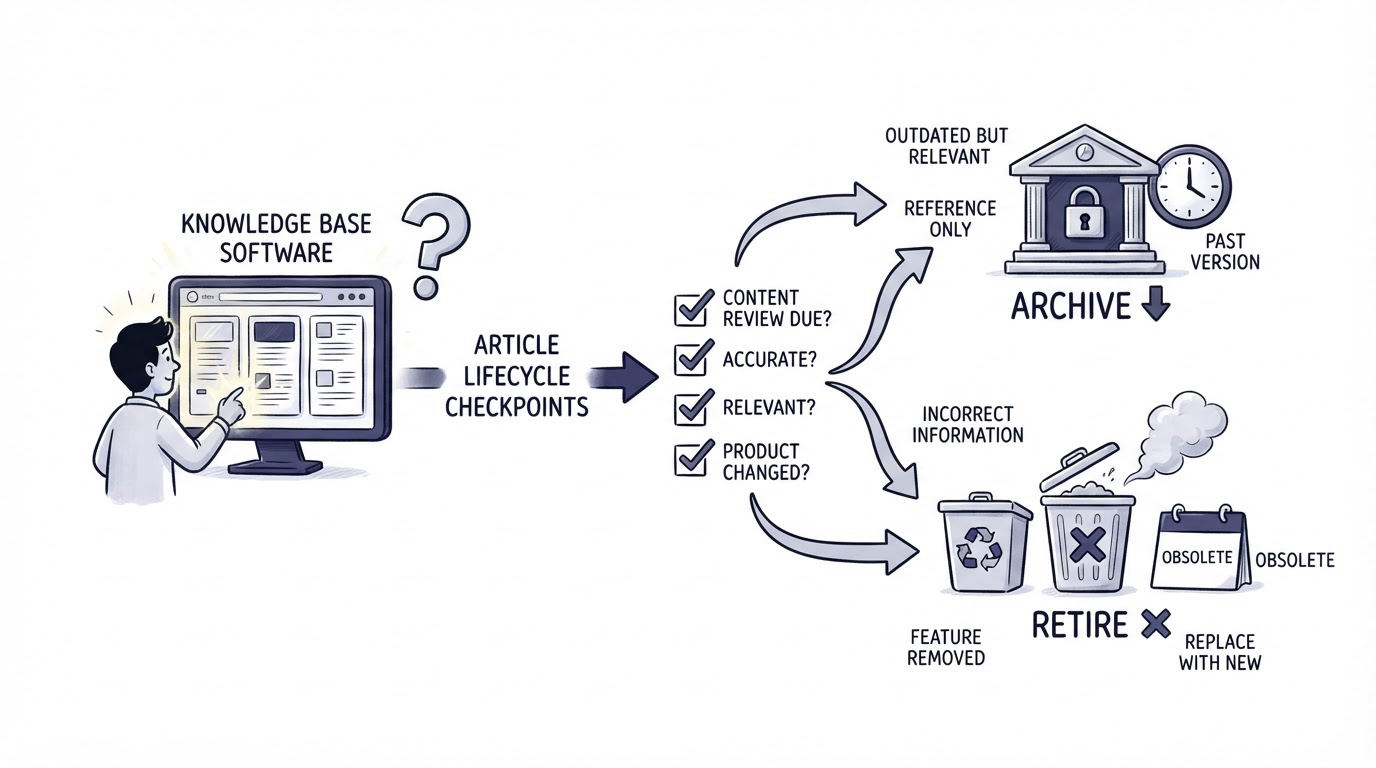
Every article needs an end state. Leaving obsolete instructions live creates false confidence because the page still looks official.
Retire an article when its feature is permanently removed, its workflow is fully replaced, or its audience no longer exists. For Northstar Metrics, suppose the legacy CSV importer is removed after customers migrate to direct warehouse sync. The old /help/import-csv article should not remain a live setup guide.
Choose the retirement action based on customer need:
- Redirect the URL when a replacement guide serves the same intent.
- Archive the article internally when support may need historical context.
- Keep a short migration page live when customers need a deadline, data-export steps, or replacement instructions.
- Remove the page when it contains sensitive, inaccurate, or misleading directions and no useful successor exists.
Write the retirement decision into the change record. Include the feature sunset date, replacement URL, redirect owner, and date the redirect was tested. This record helps agents answer questions from customers who bookmarked the previous process.
A public roadmap can also reveal upcoming documentation work. When roadmap items move into delivery, add related help articles to the release plan. See how to use a public product roadmap for better product decisions for ways to connect customer demand with product planning.
How Cajobo supports the article maintenance workflow
A reliable process needs one place where customers can find the current guidance and your team can manage the publishing queue. The Cajobo Knowledge Base fits into the workflow after your team has defined ownership and review rules.
First, publish the approved version of the Northstar Metrics Stripe guide in the knowledge base and use a clear title based on the customer task. Next, place related troubleshooting and migration articles close to the main setup guide so customers can continue when the expected outcome fails.
When the product team moves the integration screen, the support editor updates the article, replaces the screenshot, and sends the revised draft through the verification process described above. Publish only after the product owner confirms the production path. Keep the internal change record in your release tracker, then update the article's review date there as well.
Cajobo also brings feedback, support, and self-service work closer together. If customers still ask the same question after an update, inspect those conversations and revise the section that creates friction. The process described in a self-service customer support strategy for SaaS helps teams use recurring questions to improve articles over time.
Keep referral and affiliate program articles current too
Referral and affiliate documentation can create support volume quickly when commission rules, payout timing, Stripe connection steps, or eligibility language drift from the actual program. This is especially important for SaaS companies that use referral links in launch campaigns and onboarding emails.
For example, Northstar Metrics might launch a customer referral program during a new integration release. Its help center needs a current article covering how customers find their referral link, when a referral counts, where they see status, and which billing events affect recurring commissions. Assign the program manager as factual owner, the finance or operations reviewer for payout language, and the support editor for clarity.
A release that changes a trial length or Stripe billing flow should trigger review of those articles immediately. Keep customer-facing policy wording aligned with the program configuration, then test the path using a test account before publication. Teams evaluating affiliate tracking software for SaaS can use ReferClaw to run referral or affiliate programs while maintaining help content that explains the customer journey accurately.
Treat these articles as high-risk content. Small wording changes around attribution, eligibility, or recurring commissions can produce avoidable disputes and tickets.
Measure whether your knowledge base stays accurate
Accuracy needs evidence from real customer behavior. Review support conversations, failed searches, article feedback, and repeat contacts after a customer reads an article.
For Northstar Metrics, imagine support receives 12 conversations in two weeks asking why Stripe is missing from Settings. That pattern points directly to an outdated navigation step. The support editor should flag the article, product should confirm the current path, and the next release checklist should include all customer-facing navigation changes.
Track a small set of operational measures each month: overdue article reviews, articles changed after release, broken links found, repeat contacts tied to a help article, and article feedback trends. Pair qualitative comments with the numbers. A thumbs-down response is useful when the reader can also say which step failed.
Use a feedback mechanism near high-traffic articles, then route recurring complaints into the documentation backlog. This guide to measuring customer satisfaction with one-tap feedback explains how to collect a lightweight signal without making customers complete a survey.
FAQ
How often should knowledge base articles be reviewed?
Review high-risk articles every 30 days and after any related product or policy change. Review active feature guides every 90 days. Stable educational articles can usually follow a 180-day cycle, provided product and support signals remain quiet.
Who should own knowledge base content?
Assign a subject owner for factual accuracy and a support editor for customer clarity. Engineering, legal, finance, or security reviewers should approve articles when their domain affects the instructions. One named owner remains accountable for completing the review.
Should we delete old help center articles?
Use a redirect when customers searching for the old topic need a current replacement. Keep an internal archive when agents need historical context. Remove pages containing sensitive or misleading instructions without a safe successor.
How do we find outdated knowledge base articles?
Start with articles tied to recent releases, high-volume support topics, billing, permissions, integrations, and onboarding. Then check articles with declining feedback, repeated contact after viewing, broken links, or screenshots that show an older interface.
Can support agents update articles directly?
Support agents should be able to flag errors and draft clarity improvements. Publish changes through the same owner and verification process for product-sensitive instructions. This keeps quick fixes fast while preserving factual control.
Accurate help content comes from a repeatable operating rhythm: assign an owner, trigger reviews from real changes, verify the workflow in production, and retire pages deliberately. Build that rhythm around your Cajobo knowledge base so customers reach guidance your team has recently checked.