
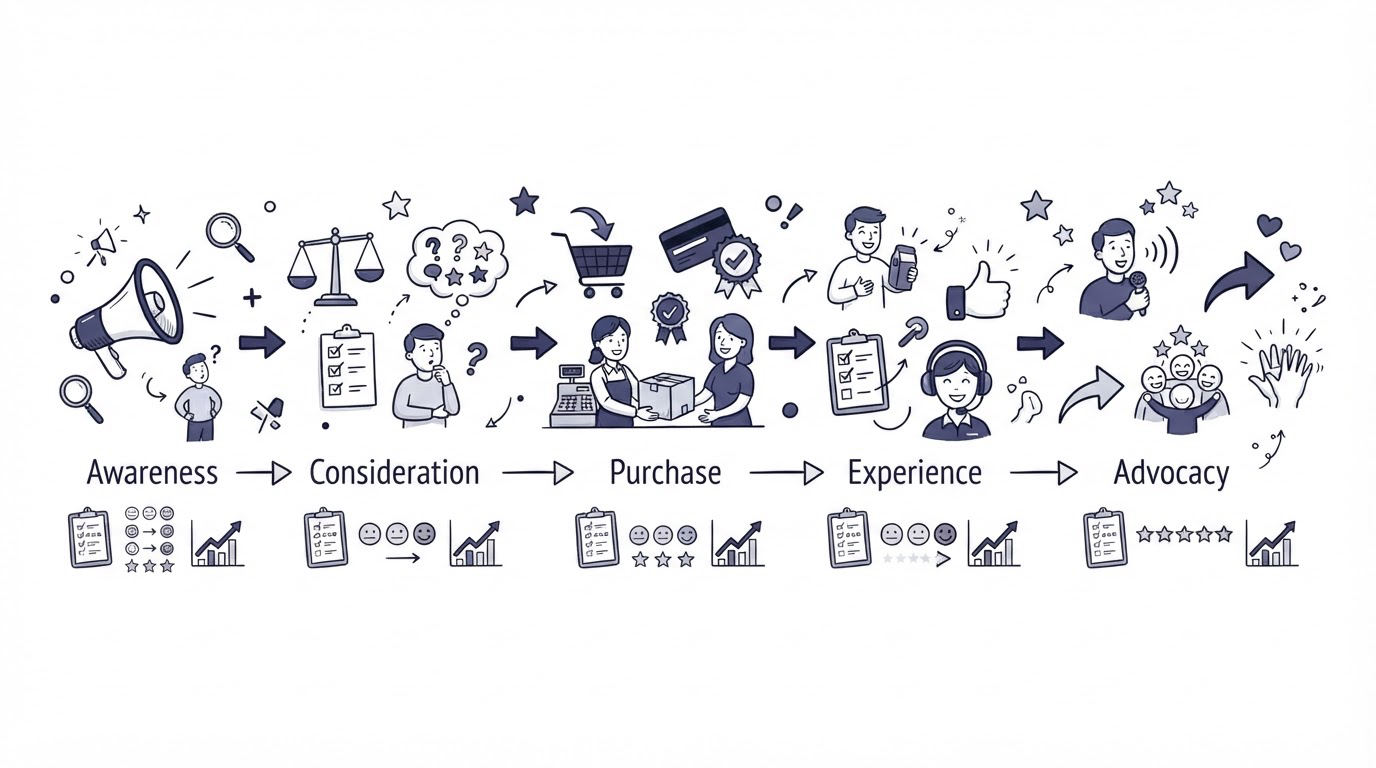
A customer can complete onboarding, close a support chat, or use a new feature while still carrying confusion that later leads to inactivity or churn. Annual surveys rarely reveal where that friction started because the experience is already distant.
A customer satisfaction feedback tool works best when it asks one short question immediately after a meaningful moment, then groups responses by journey stage, customer segment, and recurring reason. Cajobo gives SaaS teams a connected place to collect feedback alongside live chat and knowledge base content.
Quick answer: how to measure satisfaction throughout the customer journey
Use this workflow to capture useful satisfaction signals without interrupting customers.
- Map the three or four moments where customers form an opinion: onboarding, support, feature use, renewal, or cancellation.
- Ask one one-tap satisfaction question directly after each moment, with an optional follow-up text field.
- Attach each response to its journey stage, page or feature, customer plan, and account status.
- Review response volume, score distribution, and written themes every week.
- Assign one owner to each repeat issue, make the improvement, and measure the same prompt again.
Why a customer satisfaction feedback tool needs stage-specific prompts
Satisfaction has a different meaning at each point in the journey. A broad question such as “How satisfied are you?” creates an average that hides the operational problem. A low score after onboarding points toward setup, guidance, permissions, or time to first value. A low score after support points toward response quality, resolution, or handoff. A low score after feature use can reveal product usability and missing capability.
Keep the prompt close to the event. Customers remember the detail while they are still on the relevant page or immediately after the interaction ends. The answer also arrives with useful context: the article they read, the conversation they had, or the feature screen where they paused.
For accessibility, make the rating control operable by keyboard, label it clearly, and avoid relying on color alone. The W3C guidance on involving users in web accessibility evaluation is a useful reference when designing feedback collection for a broad customer base.
Use one consistent scale
A five-point scale works well for comparing stages over time. Emoji reactions also work when the labels make the meaning explicit, such as very dissatisfied through very satisfied. Consistency lets the team compare movement from month to month without translating one survey format into another.
Ask an open follow-up only after a low or high rating. For example: “What made this experience difficult?” or “What worked well?” That short explanation is usually where the product or support decision becomes clear.
How to measure satisfaction after onboarding
Onboarding feedback should measure whether a new customer reached an early value milestone. Avoid sending the prompt right after account creation. Send it after the customer has completed the setup action that proves the product is working for them.
For a reporting product, that moment could be connecting a data source and viewing the first dashboard. For a team workspace, it could be inviting colleagues and completing the first shared task.
Use a direct question:
“How easy was it to get your first dashboard working?”
Place the prompt on the completion screen or send it shortly after the milestone. Collect a reason when the rating is low. Common themes include unclear setup instructions, a missing integration, a permissions issue, and uncertainty about what to do next.
A strong knowledge base can remove some of these problems before a person reaches support. Review how to structure a SaaS knowledge base when onboarding questions keep recurring, then connect the prompt to the exact article or setup screen customers use.
Worked example: finding an onboarding issue before it becomes a support backlog
Consider HarborDesk, a fictional SaaS product for operations teams. Its trial onboarding flow sends users to /setup/connect-data and then to /dashboards/first-report. The team adds a five-point prompt on the first-report screen: “How easy was it to create your first report?”
During the first weekly review, low ratings cluster among trial accounts using CSV uploads. Written comments repeatedly mention uncertainty around column formatting. The team initially plans a broader onboarding redesign. The responses show a narrower problem: the upload screen lacks an example file and has vague error copy.
They add a downloadable sample CSV, revise the error message to identify the mismatched column, and update the help article. The team keeps the same prompt in place for the next cohort. That gives them a clean before-and-after view of the fix.
How to measure customer satisfaction after support interactions
Support feedback belongs immediately after a conversation is marked resolved. Ask about the interaction that just happened, rather than the customer’s whole relationship with the company.
A practical prompt is: “Did we resolve your issue today?” Follow a negative response with: “What is still unresolved?”
This wording finds cases where a fast reply failed to solve the customer’s actual problem. It also surfaces a common operational gap: an agent answers the visible question while the customer needs help with the underlying workflow.
For HarborDesk, the support team places the resolution prompt after live chat conversations. A pattern emerges around questions about user roles. Agents are responding promptly, but customers still rate the outcome poorly because their requested role configuration requires a manual workaround. The support lead creates a saved explanation for the short term and sends the repeated request to product for review.
Read how to collect feedback after a support conversation for prompt timing, follow-up questions, and response handling. Teams managing chat and email together can also use a customer support inbox to keep the interaction context available during review.
Use a separate internal field for the support category, such as billing, access, bug, setup, or account management. That field makes it possible to see whether satisfaction is falling in one issue type even while the overall score stays steady.
How to measure satisfaction after customers use a feature
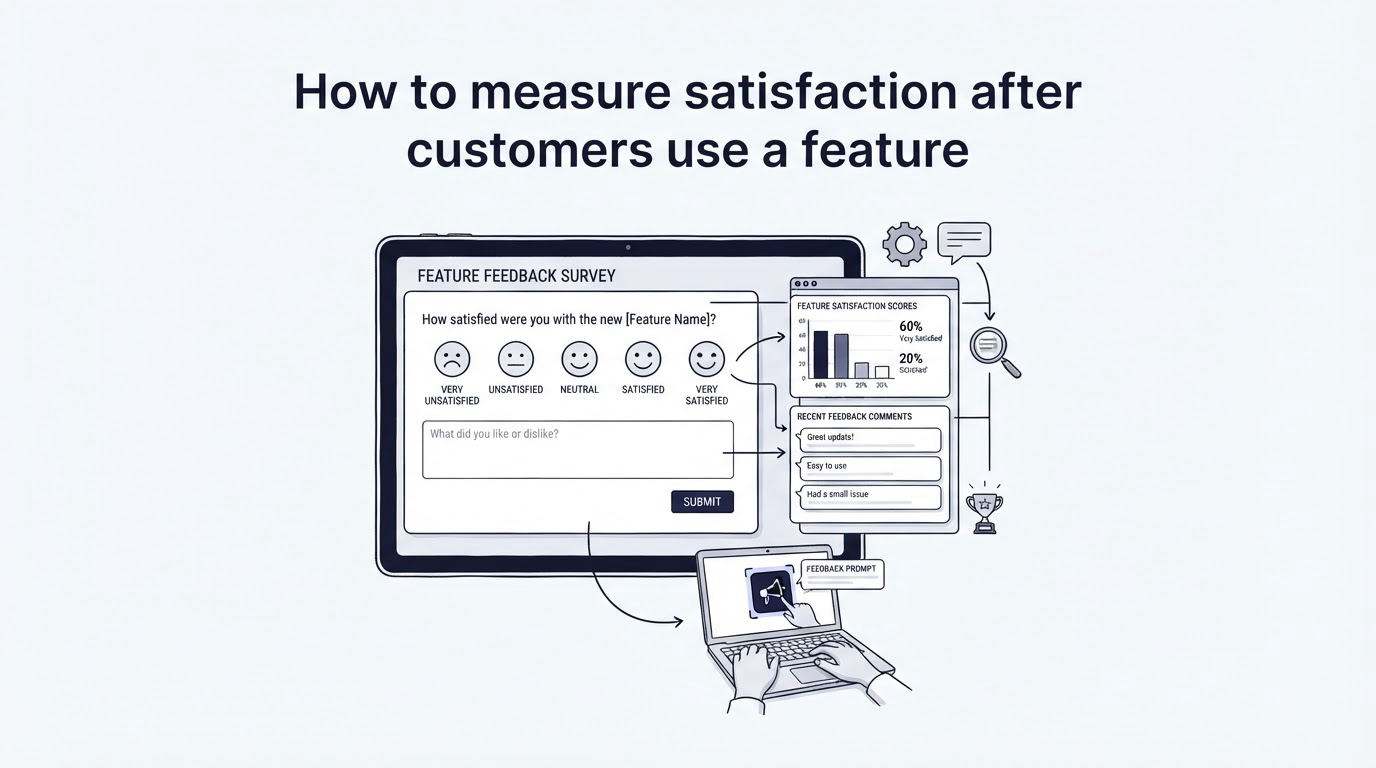
Feature feedback gives product teams evidence at the moment of use. Choose one or two high-value workflows rather than placing a prompt across every screen. Good candidates include exports, collaboration, reporting, integrations, and settings that receive repeated support questions.
Ask a question tied to the completed action:
“How satisfied are you with the export workflow?”
A rating alone describes sentiment. The optional comment shows whether the problem is speed, missing formats, confusing filters, or an expectation the feature cannot meet yet.
At HarborDesk, the product team adds the prompt after a user schedules a report at /reports/schedule. Low ratings from paid accounts often mention a missing timezone option. The team groups those comments under one request rather than opening a separate ticket for each response. That group can then be evaluated against account demand, technical effort, and the product roadmap.
A public feedback board is useful once repeated feedback needs a visible destination. See how to turn customer feedback into product decisions with a public roadmap for a practical way to close the loop with customers.
Compare satisfaction signals by journey stage
A journey-stage view turns scattered scores into decisions. Review stage data separately before calculating any overall satisfaction figure. A healthy support score can conceal a difficult onboarding experience, while strong onboarding feedback can obscure frustration with an established feature.
| Journey stage | Best trigger | Example question | Useful context to capture | Typical next action |
|---|---|---|---|---|
| Onboarding | First value milestone completed | How easy was it to create your first report? | Plan, setup path, integration used | Improve guidance, validation, or setup flow |
| Support | Conversation marked resolved | Did we resolve your issue today? | Topic, channel, agent, first-response time | Coach, update process, or improve documentation |
| Feature use | High-value action completed | How satisfied are you with the export workflow? | Feature, account segment, usage frequency | Prioritize usability fixes or product requests |
| Knowledge base | Article viewed or task completed | Did this article help you complete the task? | Article URL, search term, exit action | Rewrite the article or add missing steps |
Export the last 90 days first. Calculate the percentage of positive ratings for each stage, then read the comments behind the low ratings. Include response count beside every score. A stage with eight responses deserves investigation, yet it provides weaker evidence than a stage with 180 responses.
Event data adds helpful context when you connect feedback to product behavior. For example, you can associate a response with a completed export, an opened help article, or a finished setup step. Google’s GA4 event documentation explains how event-based measurement is structured if your team uses Google Analytics for behavioral analysis.
Use Cajobo as your customer satisfaction feedback tool
Teams can run this workflow manually with surveys, spreadsheets, support tags, and product analytics. The work becomes fragmented quickly. Cajobo is designed to bring customer feedback, live chat, and knowledge base activity closer together so the customer journey can be reviewed as one operating system.
Start in Cajobo Feedback by defining the specific moment you want to measure. Create the onboarding prompt for the first-value screen, then use a support-resolution prompt after conversations and a feature prompt after a completed workflow. Keep each question short and retain the same rating scale across stages.
Next, review incoming ratings and written feedback by theme. HarborDesk would group CSV-upload comments separately from report-scheduling comments, even though both came from trial users. That preserves the journey context needed for a useful fix.
Then connect repeat questions to customer education. If feedback after a setup step shows that users cannot find required instructions, update the relevant page in Cajobo Knowledge Base. If the customer needs immediate help during a task, route that moment into Cajobo Live Chat.
Finally, use the recurring themes to inform product decisions. The goal is a closed operational loop: collect a signal, identify the journey step, improve the experience, and keep measuring the same prompt after the change.
Common mistakes when measuring customer satisfaction across the journey
The most damaging mistake is collecting a score without an owner or review schedule. Feedback becomes a record of dissatisfaction rather than an input to better service or product work.
Another frequent problem is asking too many questions. A short prompt after a meaningful event earns more thoughtful participation than a long form that appears at random. Keep the first interaction to one rating and one optional explanation.
Teams also lose clarity when they combine stage scores into a single dashboard too early. Preserve onboarding, support, and feature-use data as separate views. Add the combined number later if leadership needs a broad health indicator.
Treat feedback data carefully. Capture the minimum personal information required for follow-up, limit access to the team members who need it, and document retention practices. The FTC’s privacy and security guidance for businesses provides a useful starting point for handling customer information responsibly.
FAQ
How often should I ask customers for satisfaction feedback?
Ask after meaningful completed events, with frequency limits for each customer. A trial user might receive an onboarding prompt after first value and a support prompt after a resolved issue. Avoid repeated prompts for the same workflow within a short period.
Should I use CSAT, NPS, or one-tap feedback?
Use CSAT-style questions for a specific interaction or stage, such as onboarding or support. Use NPS for a broader relationship measure at a planned interval. One-tap feedback is a fast collection format that works well for stage-based CSAT prompts.
What response rate should I expect from customer satisfaction prompts?
Response rates vary by audience, placement, timing, and the effort required. Track your own response rate by stage, then focus on whether the responses contain enough volume and detail to reveal repeat issues. A well-timed prompt after a completed task usually produces more relevant comments than a generic survey email.
How do I act on negative customer satisfaction feedback?
Read the comment with its event context, group similar reports, and assign an owner. Fix an immediate support or documentation gap quickly. Send repeated product requests through a clear prioritization process, then tell affected customers when the team ships a relevant change.
Can a small SaaS team measure satisfaction without a dedicated research team?
Yes. Start with three prompts: one after first value, one after resolved support, and one after a core feature action. Review the results in a weekly 30-minute meeting. Cajobo is a practical fit for teams that want feedback, help content, and customer conversations connected without building a complex research operation.
Set up the three prompts first, review the first month of responses by journey stage, and fix the most repeated source of friction before expanding the program.